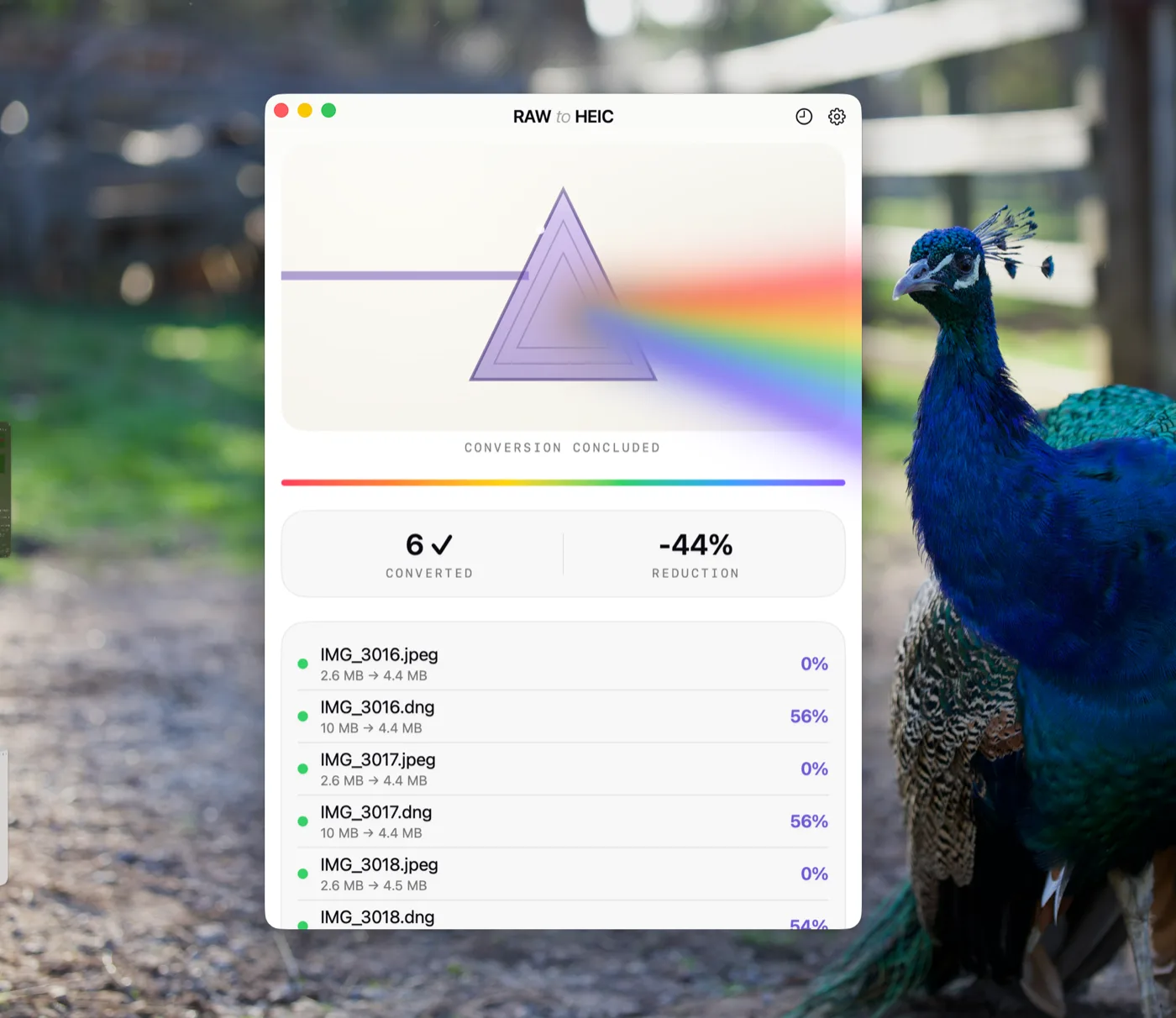
Seus RAWs, dez vezes menores. Ainda são suas fotos.
O RawToHEIC é um app que converte, direto no dispositivo, arquivos RAW de câmera e ProRAW do iPhone para HEIC dentro do Fotos da Apple, no iPhone, iPad e Mac — até 10× menores, mantendo edições, álbuns, favoritos e metadados intactos. Grátis para 50 conversões por dia; ilimitado por $19.99 uma vez ou $9.99/ano.
IPHONE · IPAD · MAC — GRÁTIS PARA COMEÇAR. ILIMITADO POR $19.99 ÚNICO · ★ 4.8 · 20 AVALIAÇÕES NA APP STORE
68 GB liberados em uma biblioteca típica de 2.500 fotos.
52,4 MB CR3 → 5,8 MB HEIC · visualmente idêntico
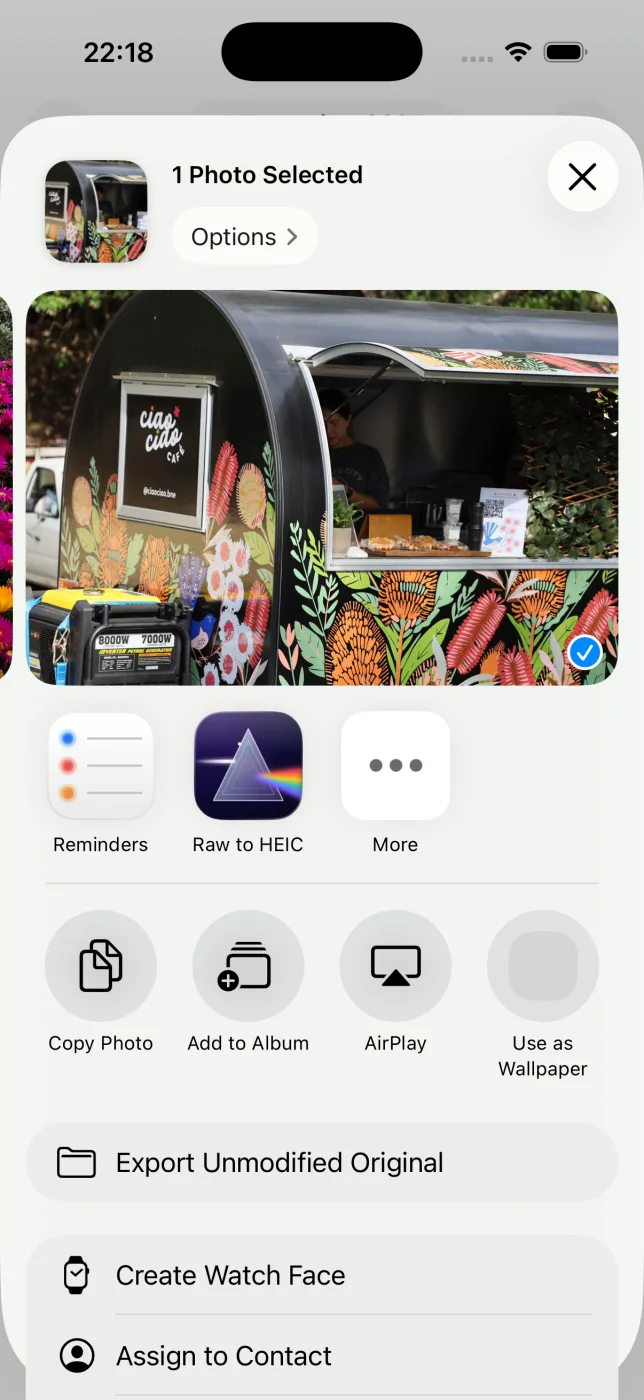
Três passos, direto no Fotos.
01
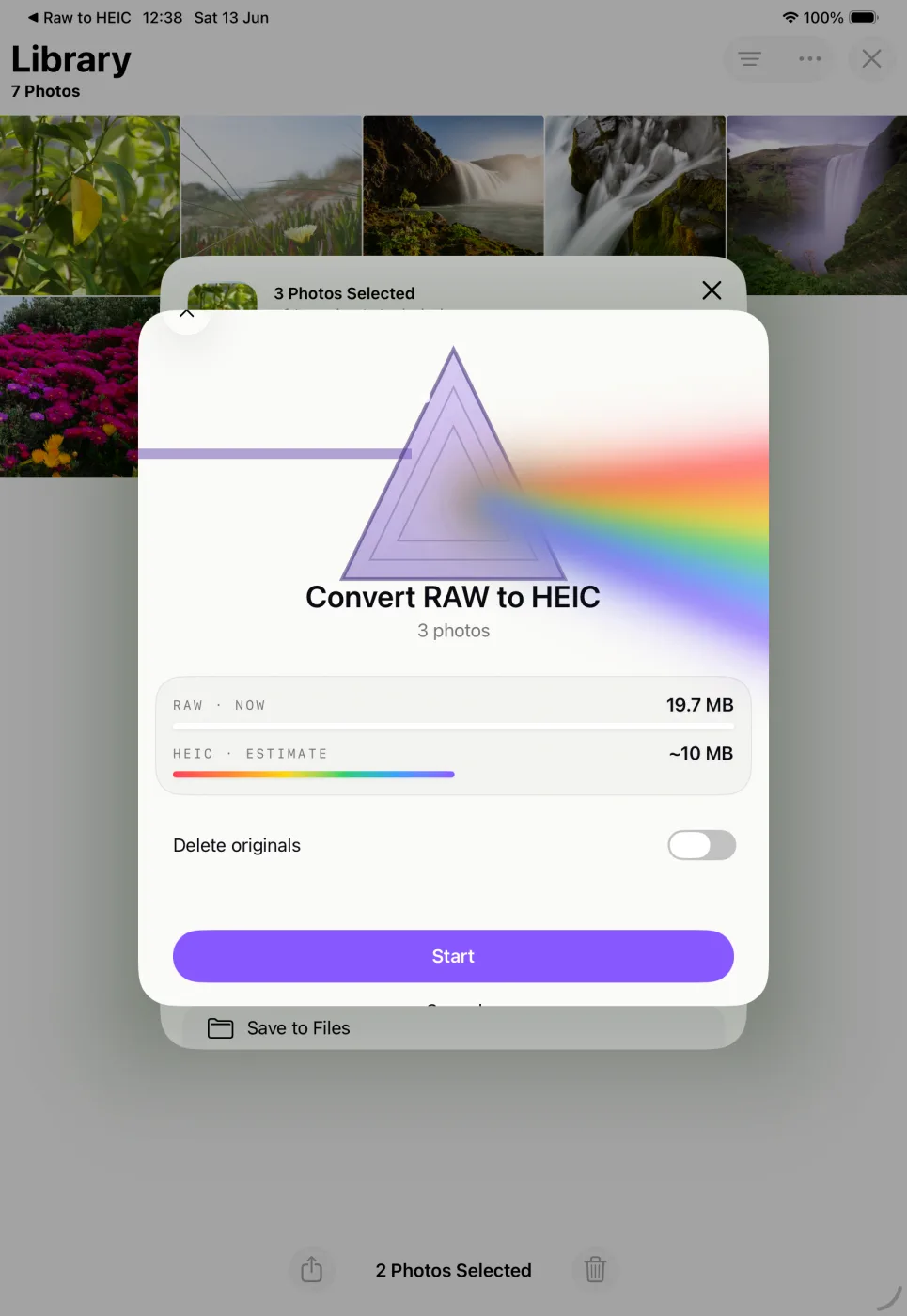
Selecione seus RAWs
Escolha as fotos no Fotos da Apple e toque em Compartilhar. O RawToHEIC já aparece ali.
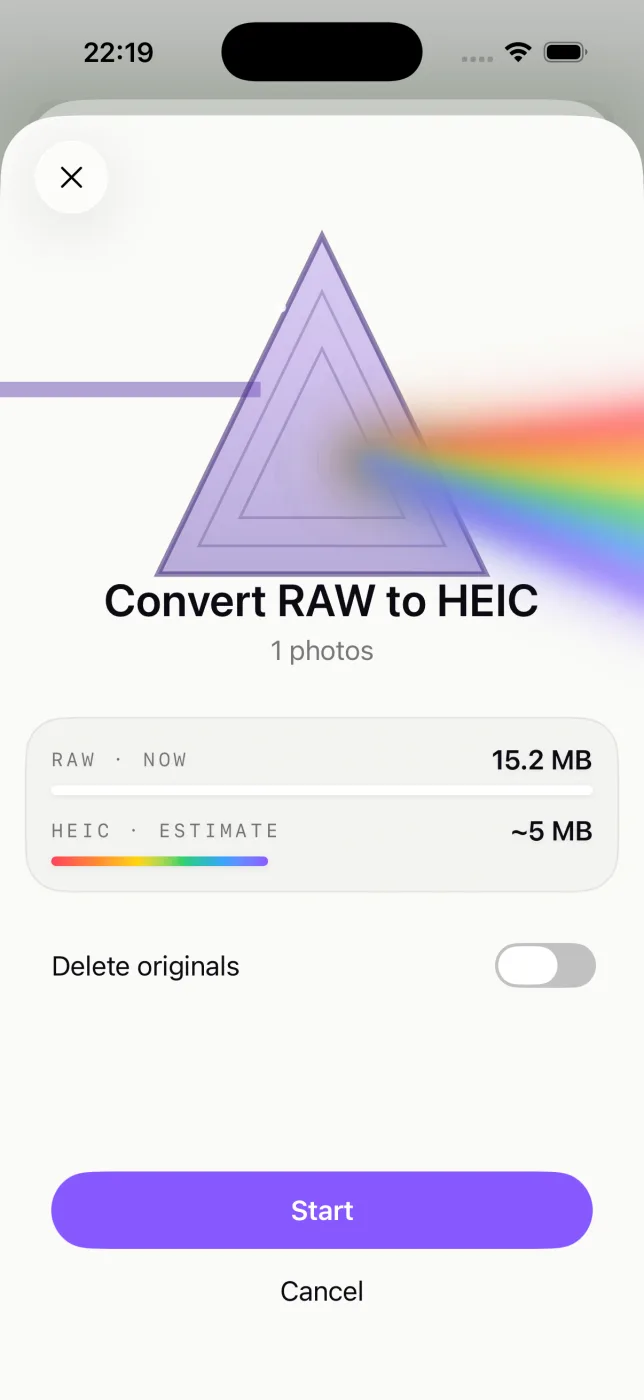
02
Confirme a estimativa
Veja quanto espaço você vai recuperar antes de qualquer coisa acontecer, e decida se os originais ficam ou saem.
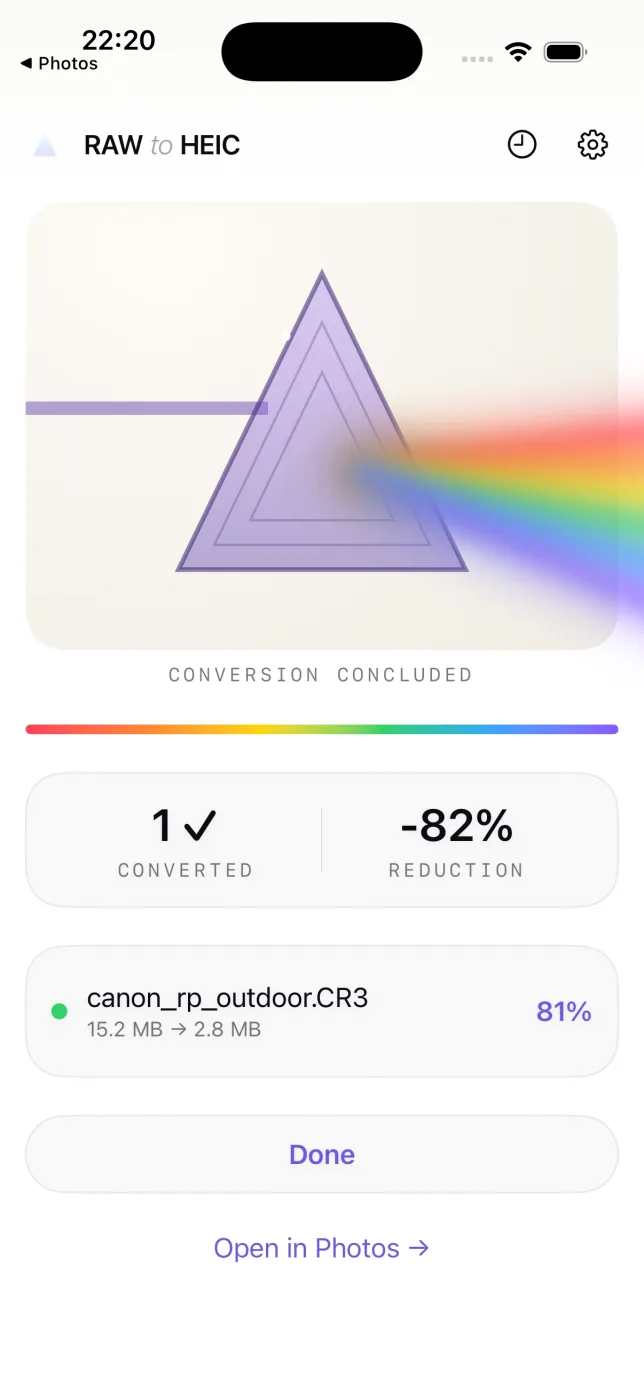
03
Continue usando seu iPhone
A conversão roda em segundo plano com uma Atividade ao Vivo. Álbuns, edições e favoritos continuam exatamente onde estavam.
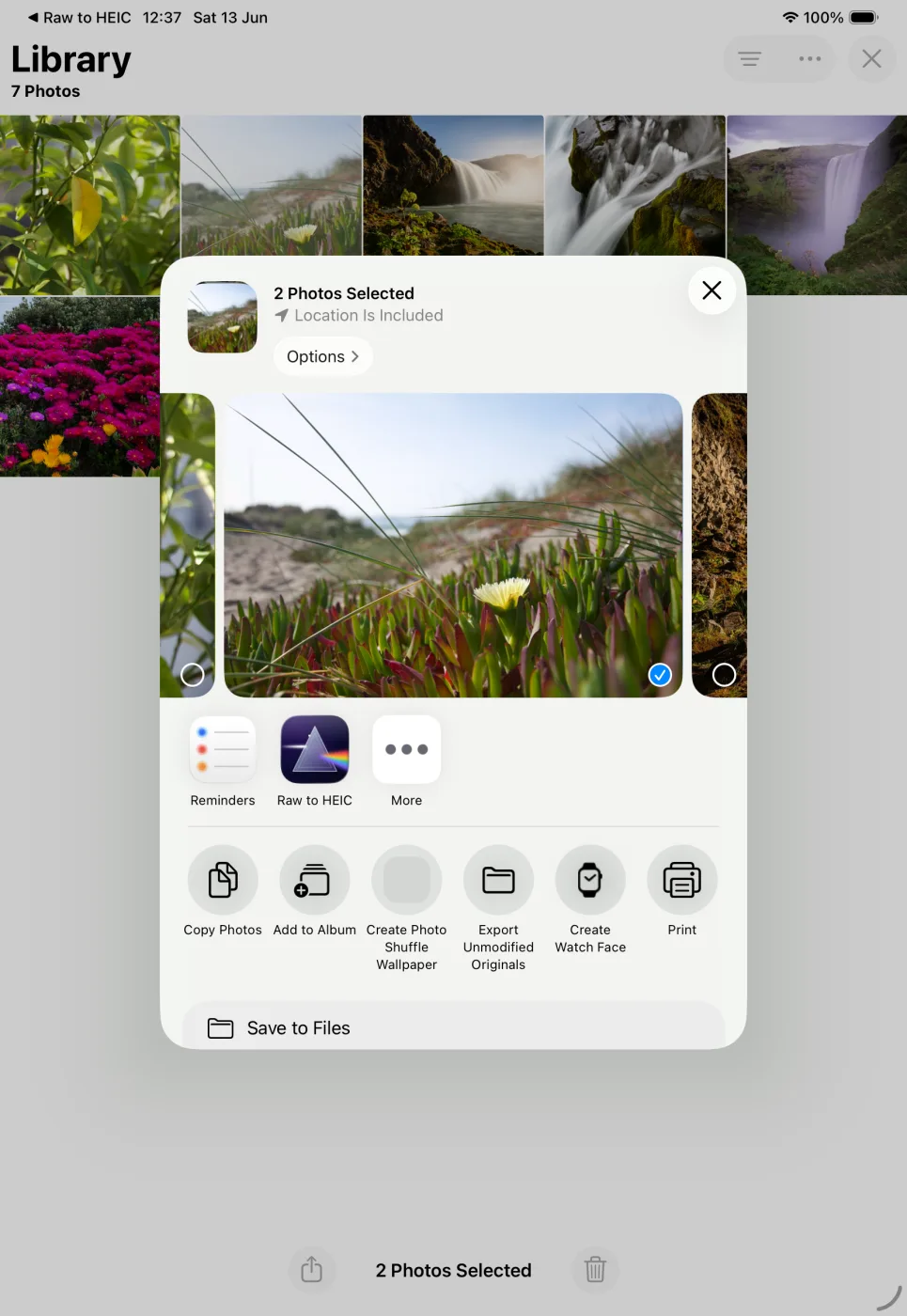
01
Selecione seus RAWs
Escolha fotos no Fotos da Apple, toque em Compartilhar e selecione o RawToHEIC.
02
Confirme a estimativa
Veja quanto espaço você vai recuperar antes de qualquer coisa acontecer, e decida se os originais ficam ou saem.
03
Continue usando seu iPad
A conversão roda em segundo plano. Álbuns, edições e favoritos continuam exatamente onde estavam.
01
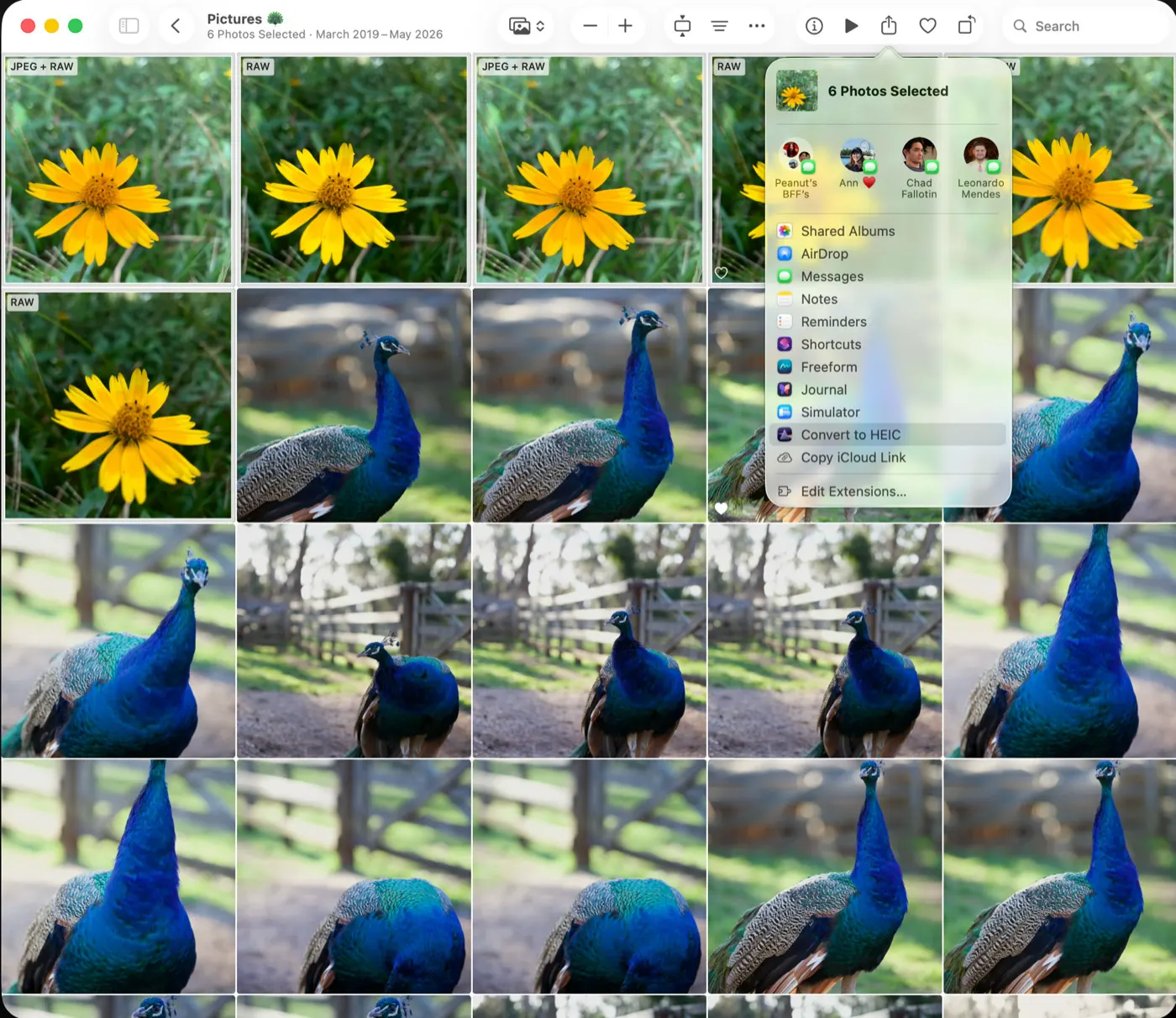
Selecione seus RAWs
Selecione fotos no Fotos da Apple, clique em Compartilhar e escolha Converter para HEIC.
02
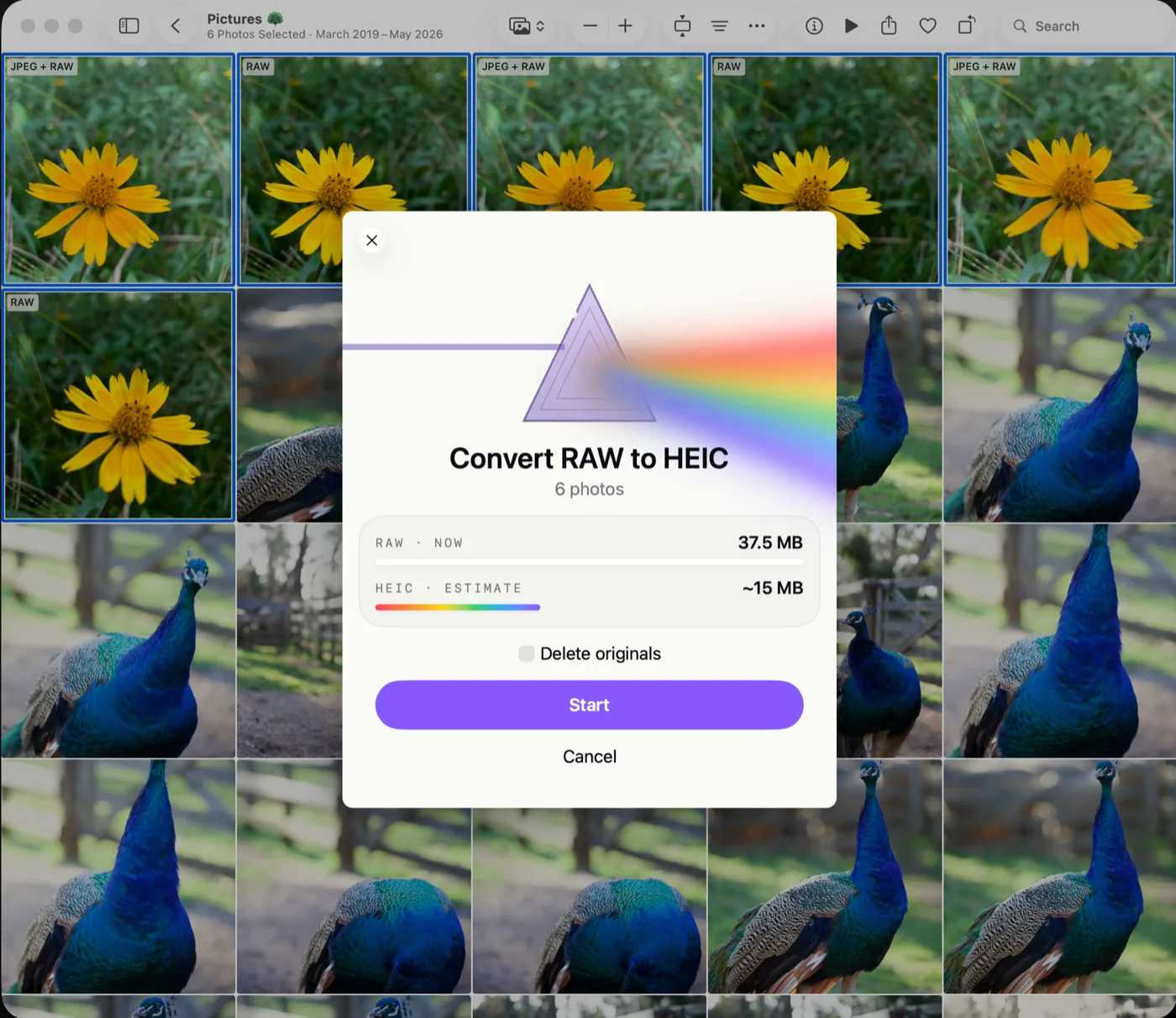
Confirme a estimativa
Veja quanto espaço você vai recuperar antes de qualquer coisa acontecer, e decida se os originais ficam ou saem.
03
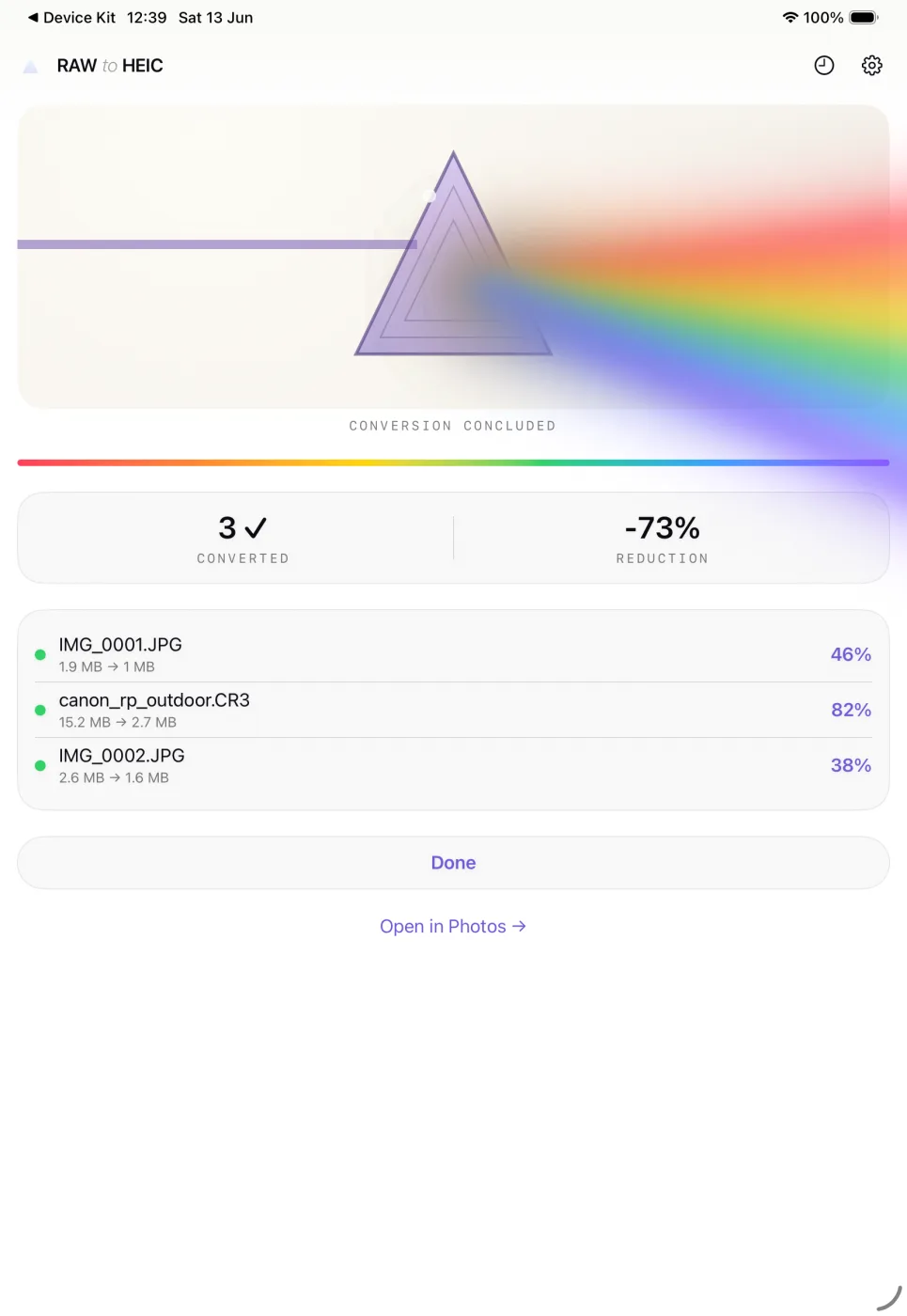
Deixe rodar
Os lotes são convertidos com o Modo Turbo e progresso em tempo real, mostrando a economia por foto e a redução total ao final.
I have uploaded everything from my camera in RAW over the years, resulting in 30K images on my library that could be smaller. There was before no automated way without including auto-upload to Photos, maintaining their chronological order and position in albums. This does it all!
5 de 5 estrelas★★★★★
Perfection all round
Super clean app, very stable and handles long running batch runs super well! Highly recommend
5 de 5 estrelas★★★★★
Accidentally had phone in RAW. This solved it…
Well, thanks to the BING search engine A.I. recommending this, this became the fasted in-app purchase I have ever made. My camera got set to RAW accidentally earlier this week. I could not find an easy way to convert, and let a robot give me all kinds of options.
This program seemed to be the easiest. I tried it and it went so well, I bought the full version instantly. It can also compress PNG screenshots down to HEIX saving space, which is a nice bonus. I have screenshots going back to 2007 or whenever that feature first came to the iPhone ;-)
Nice job. I need to figure out how to filter by PNG, as it let me select screenshots twice, converting HEIC to HEIC. Since it showed the same before/after size, I assume it didn’t really reconvert… but the UI was not clear on what it was doing.
4 de 5 estrelas★★★★☆
The essential tool when using RAW format on the iphone
Wonderful tool to find and convert raw photos to jpg. The workflow is to transfer raws away from the iphone for photo editing and then converting such raws on the phone to jpgs to free up the precious space for your next raw shoot.
The only very minor caveat is with Onedrive Photo Backup: once the uploaded raws are converted to jpg, the are uploaded again on the next sync so that every uploaded raw has an uploaded jpg copy.. hm.
5 de 5 estrelas★★★★★
Easy and simple
Claiming back screenshots space in 3 taps 🚀
4 de 5 estrelas★★★★☆
Really nice app but clashes every 734 pics
I don’t know why but I really clashes every 734 pics.
5 de 5 estrelas★★★★★
Funciona perfecta
Aunque sea de pago permite hacer 50 transformaciones al día y lo hace perfectamente, manteniendo el mapa HDR como en el original
5 de 5 estrelas★★★★★
Free up 50GB in minutes
Was running out of space after shooting in JPEG-XL Lossless for a long time. Instead of deleting old photos and/or setting my iPhone Camera to a lower quality setting I can keep shooting RAW, edits the ones I like, and easily convert the rest to jpeg with this app. What a time and storage saver! Also the developer is very friendly and responds to bug reports promptly.
5 de 5 estrelas★★★★★
Awesome app for RAW conversion
I have been searching for a way to convert my quite large library of RAW images to smaller format to save some storage space. This app does exactly that. And I highly appreciate quick response from the author of the app, Sandro, who quickly resolved my issue. Highly recommended!
Avaliações da App Store, como foram escritas.
Experimente grátis e vá para o ilimitado quando quiser
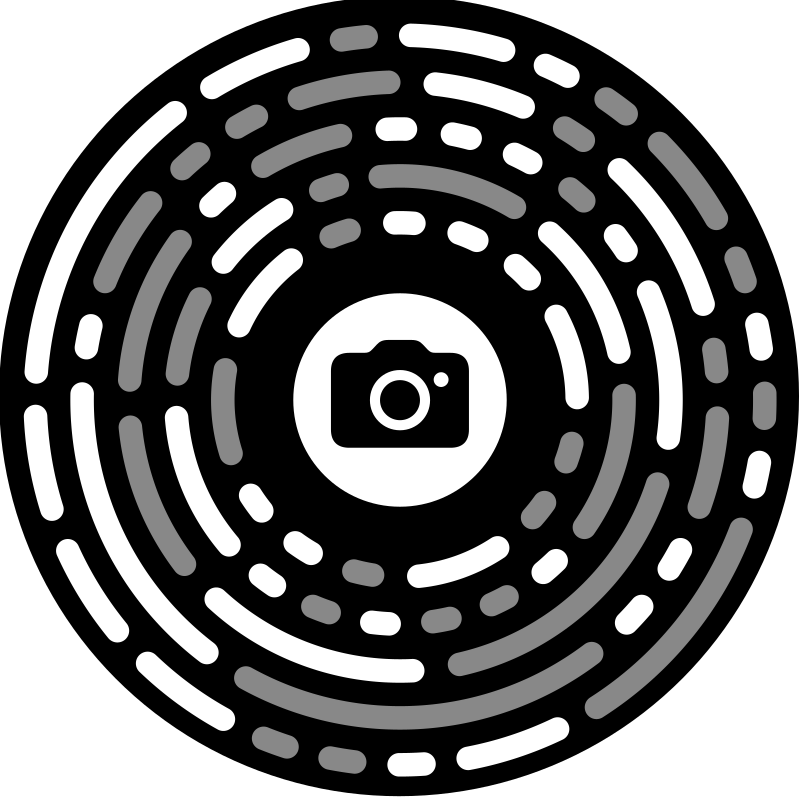
Experimente sem instalar.
Aponte a câmera do seu iPhone para o código e converta algumas fotos agora mesmo. Nada para instalar, nada sai do seu dispositivo.
Converta algumas fotos agora mesmo com o App Clip gratuito. Nada para instalar, nada sai do seu dispositivo.
Canon CR3, CR2 e CRW; Sony ARW e SR2; Nikon NEF e NRW; Fujifilm RAF; Olympus ORF; Panasonic RW2; Pentax PEF; Hasselblad 3FR e FFF; Adobe DNG e ProRAW do iPhone — além de arquivos JPEG, PNG, TIFF e HEIC.
Ele vai excluir meus RAWs originais?
Só se você pedir. A exclusão é uma escolha por lote, e um RAW só é removido depois que o HEIC correspondente é salvo e verificado na sua biblioteca. Os originais excluídos ficam em Excluídos Recentemente por 30 dias.
Funciona com o Fotos do iCloud?
Sim. Os originais são baixados automaticamente se não estiverem no seu dispositivo, e os HEICs convertidos sincronizam como qualquer outra foto.
E as edições feitas no Fotos?
As edições são preservadas. A foto convertida mantém seus ajustes exatamente como aparecem no Fotos.
Ele preserva o HDR?
Sim. O RawToHEIC grava um mapa de ganho HDR no HEIC convertido, então as fotos mantêm o impacto visual em telas HDR.
Meus dados são coletados?
Não. A conversão acontece inteiramente no dispositivo. O app não tem análise de dados, conta ou rastreamento de nenhum tipo.
Compra única ou assinatura?
Você escolhe. O app é grátis para 50 conversões por dia; o ilimitado custa $19.99 uma vez (seu para sempre) ou $9.99/ano — uma única compra cobre iPhone, iPad e Mac.