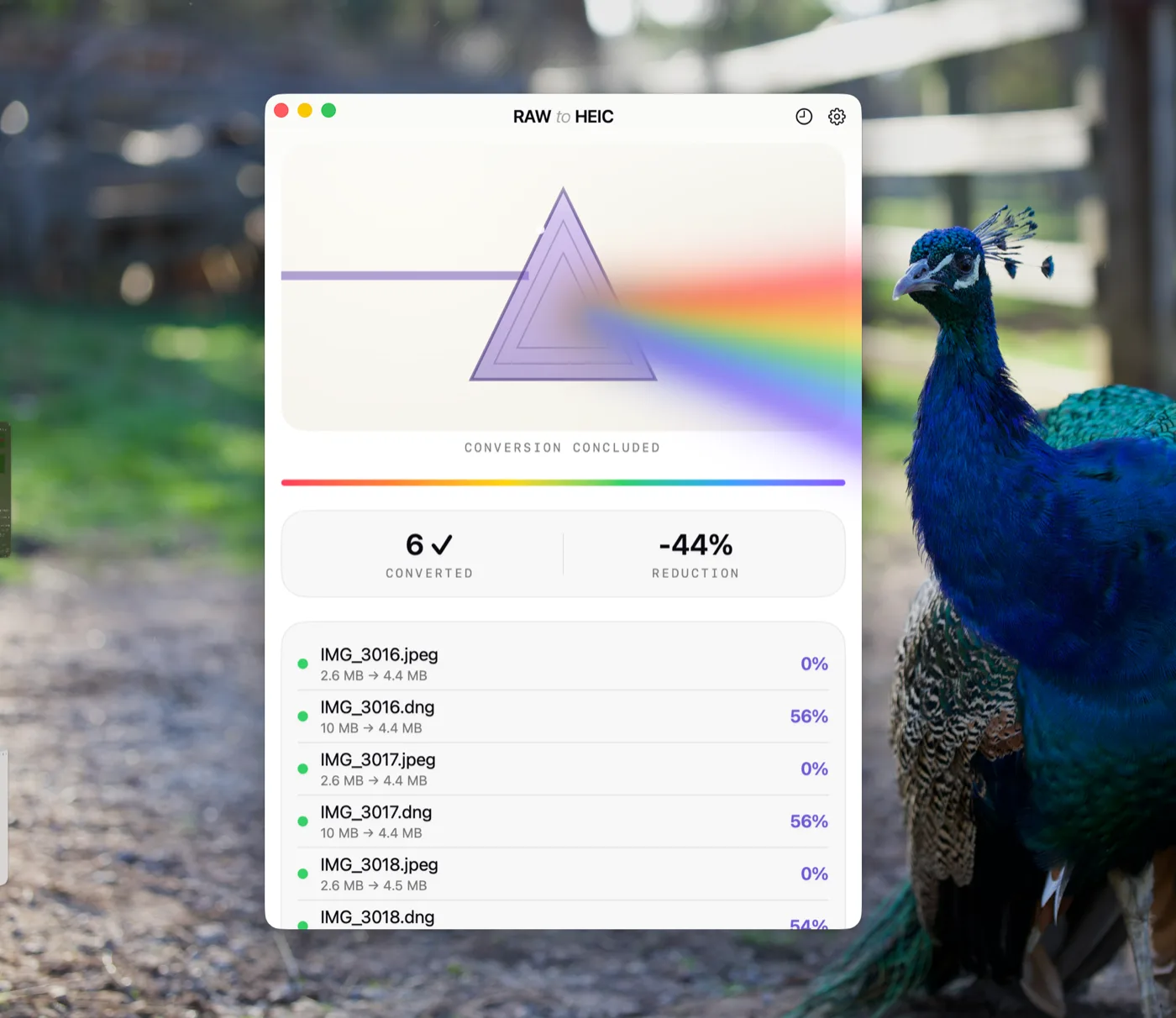
Ihre RAWs, zehnmal kleiner. Immer noch Ihre Fotos.
RawToHEIC ist eine App, die RAW-Dateien Ihrer Kamera und iPhone-ProRAW-Dateien direkt auf dem Gerät in Apple Fotos auf iPhone, iPad und Mac in HEIC umwandelt — bis zu 10× kleiner, bei vollständig erhaltenen Bearbeitungen, Alben, Favoriten und Metadaten. Kostenlos für 50 Umwandlungen pro Tag; unbegrenzt für $19.99 einmalig oder $9.99/Jahr.
IPHONE · IPAD · MAC — KOSTENLOS STARTEN. UNBEGRENZT FÜR $19.99 EINMALIG · ★ 4.8 · 21 APP STORE-BEWERTUNGEN
68 GB frei in einer typischen Bibliothek mit 2.500 Fotos.
52,4 MB CR3 → 5,8 MB HEIC · visuell identisch
Drei Schritte, direkt in Fotos.
01
RAWs auswählen
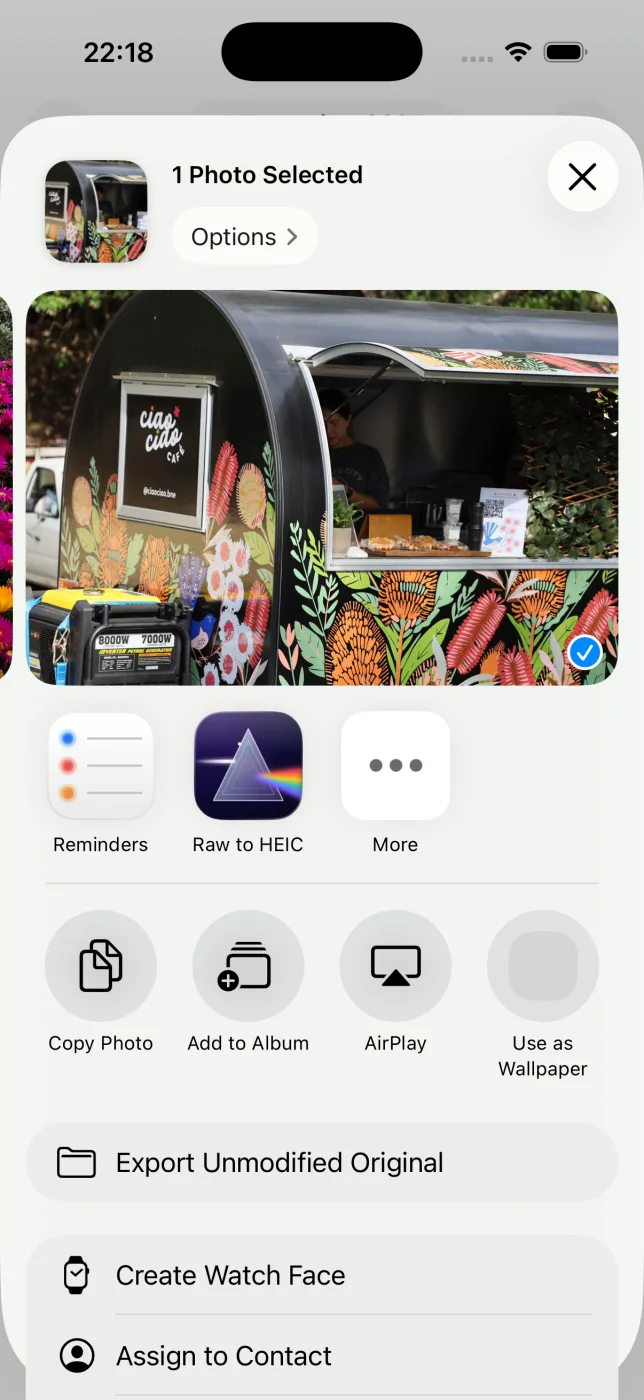
Wählen Sie beliebige Fotos in Apple Fotos aus und öffnen Sie das Teilen-Menü. RawToHEIC ist direkt dabei.
02
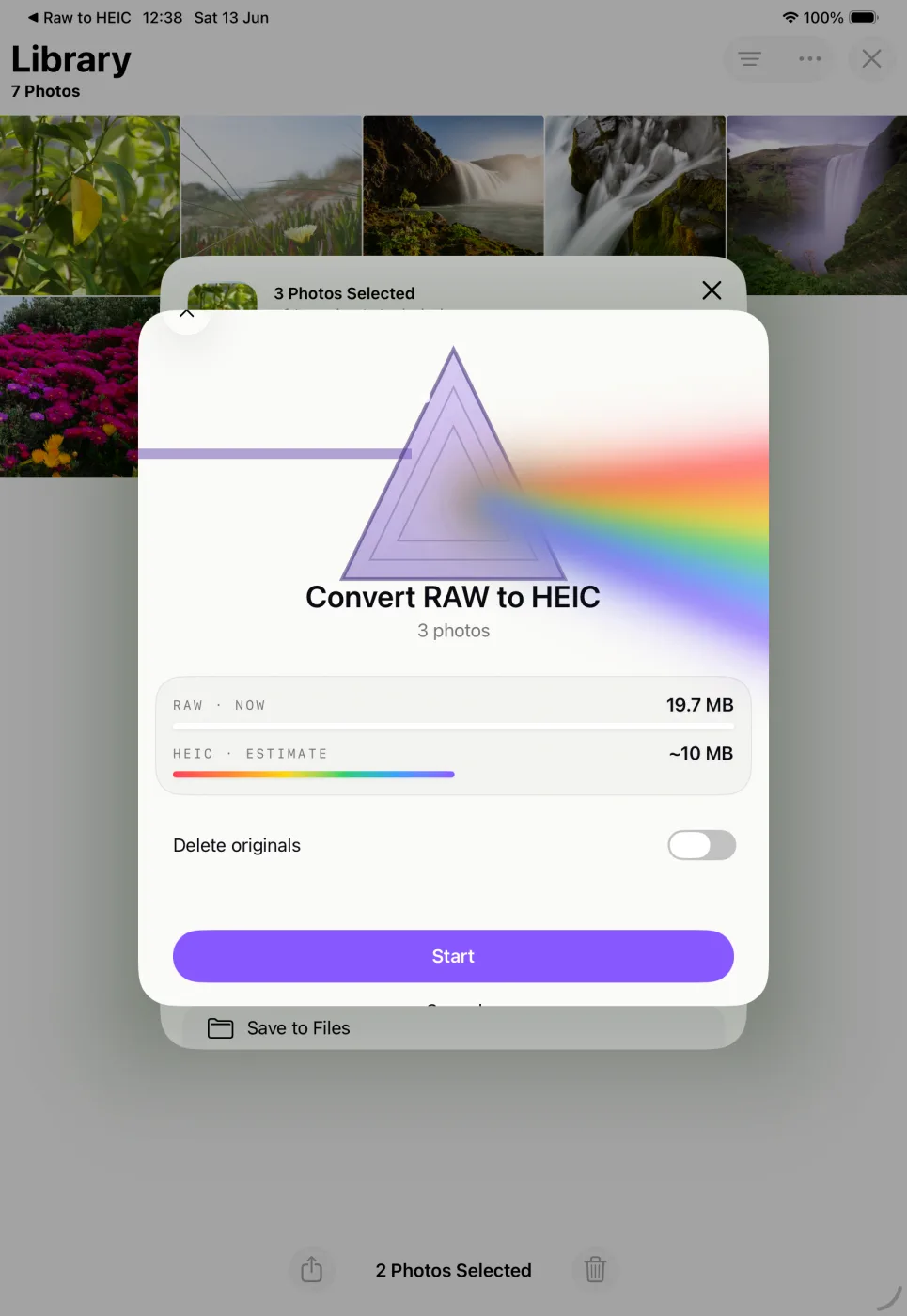
Schätzung bestätigen
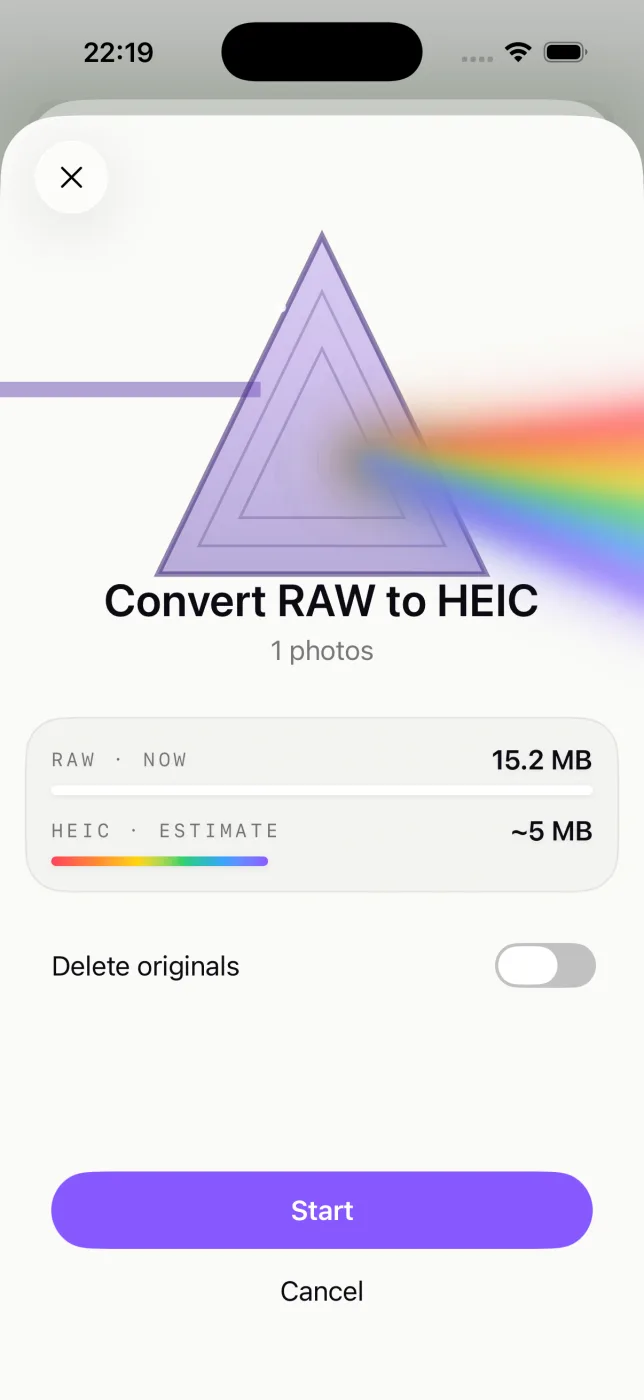
Sehen Sie, wie viel Speicherplatz Sie zurückgewinnen, bevor etwas passiert, und entscheiden Sie, ob die Originale bleiben oder gelöscht werden.
03
Ihr iPhone einfach weiter nutzen
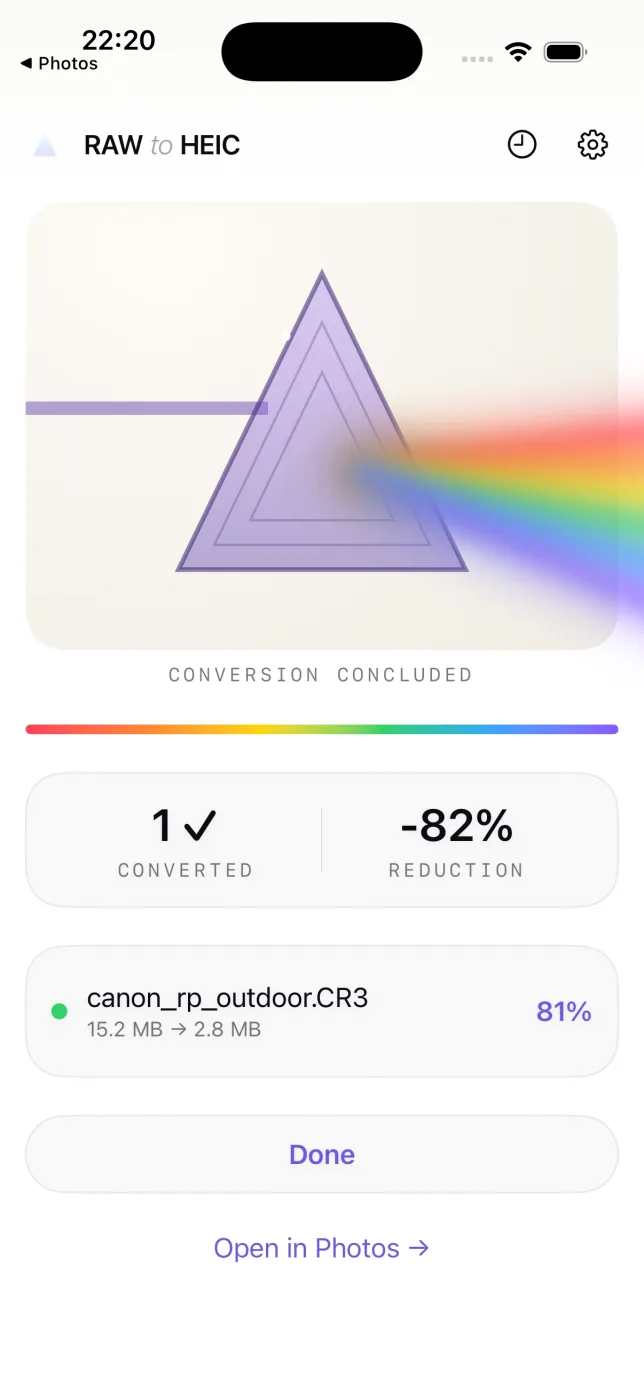
Die Umwandlung läuft im Hintergrund mit einer Live Aktivität. Alben, Bearbeitungen und Favoriten bleiben genau dort, wo sie waren.
01
RAWs auswählen
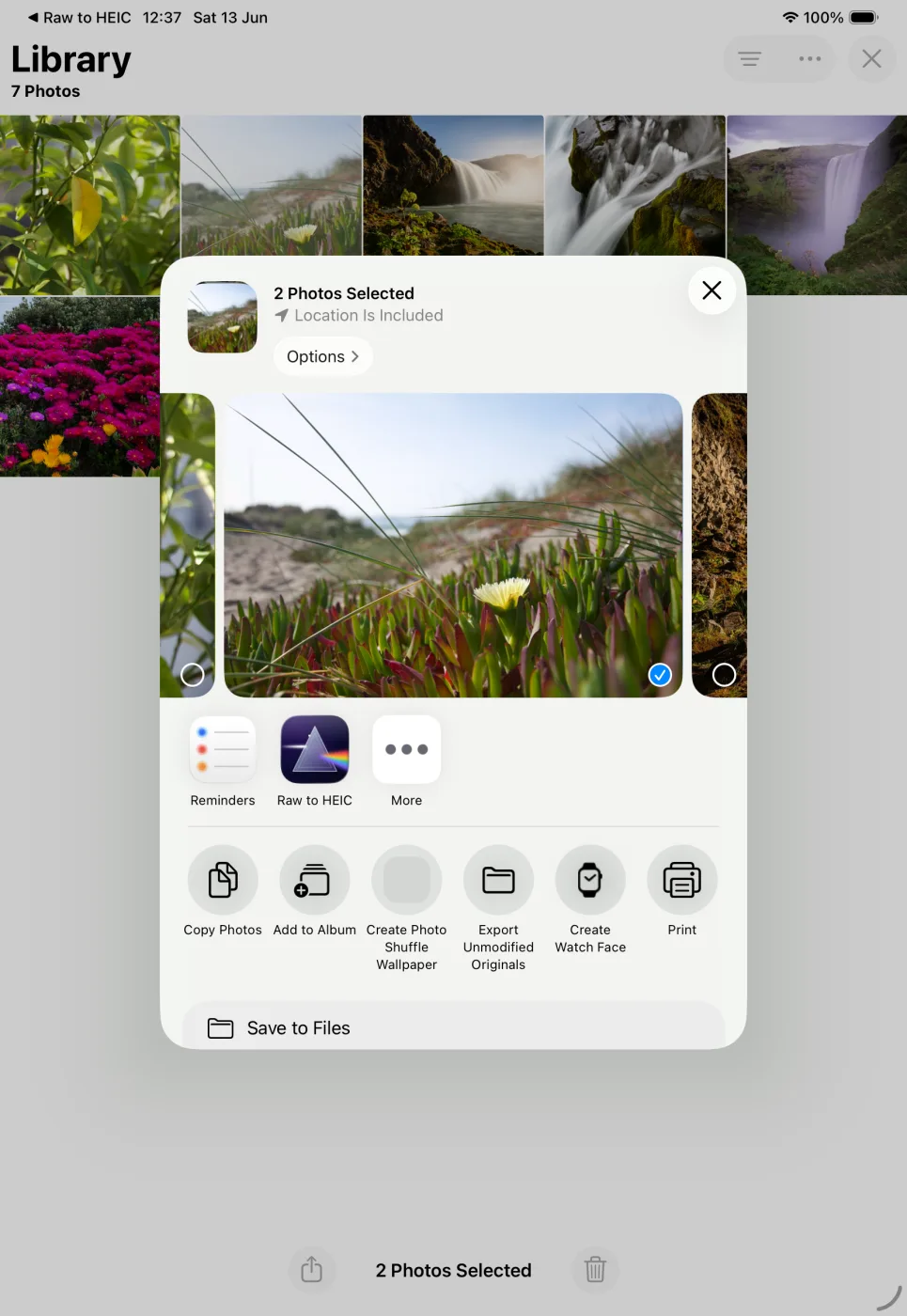
Wählen Sie Fotos in Apple Fotos aus, tippen Sie auf Teilen und wählen Sie RawToHEIC.
02
Schätzung bestätigen
Sehen Sie, wie viel Speicherplatz Sie zurückgewinnen, bevor etwas passiert, und entscheiden Sie, ob die Originale bleiben oder gelöscht werden.
03
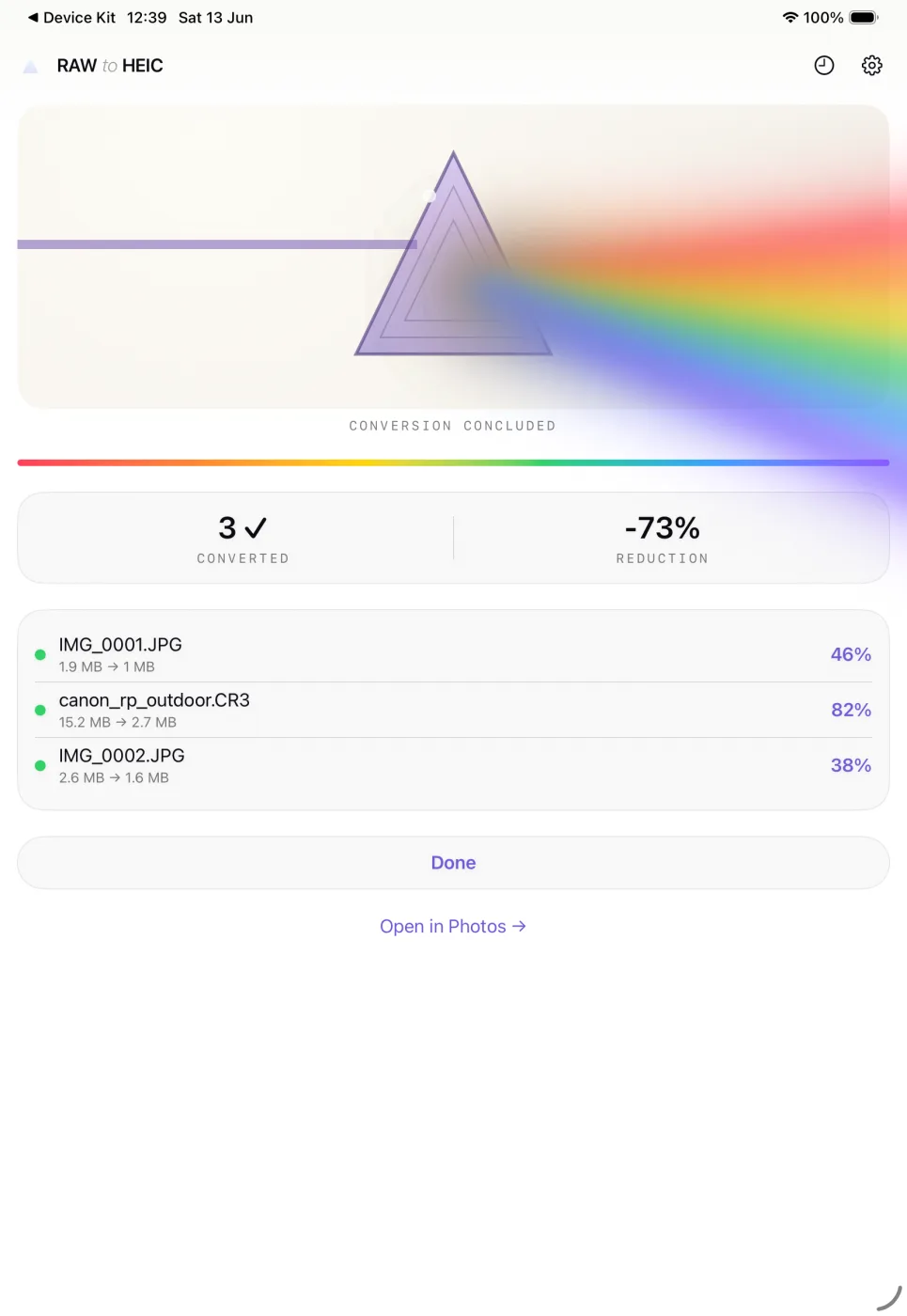
Ihr iPad einfach weiter nutzen
Die Umwandlung läuft im Hintergrund. Alben, Bearbeitungen und Favoriten bleiben genau dort, wo sie waren.
01
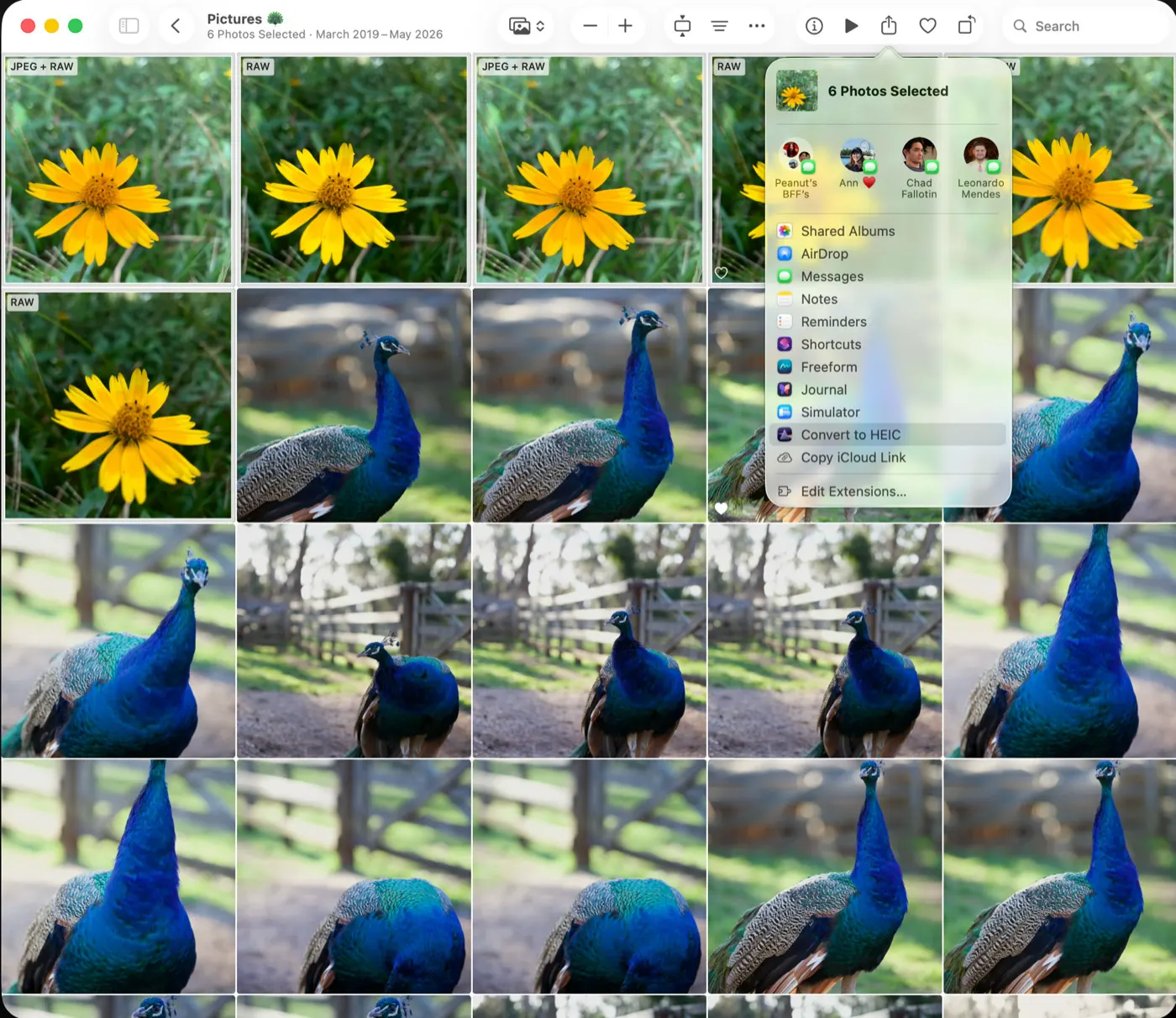
RAWs auswählen
Wählen Sie Fotos in Apple Fotos aus, klicken Sie auf Teilen und wählen Sie In HEIC umwandeln.
02
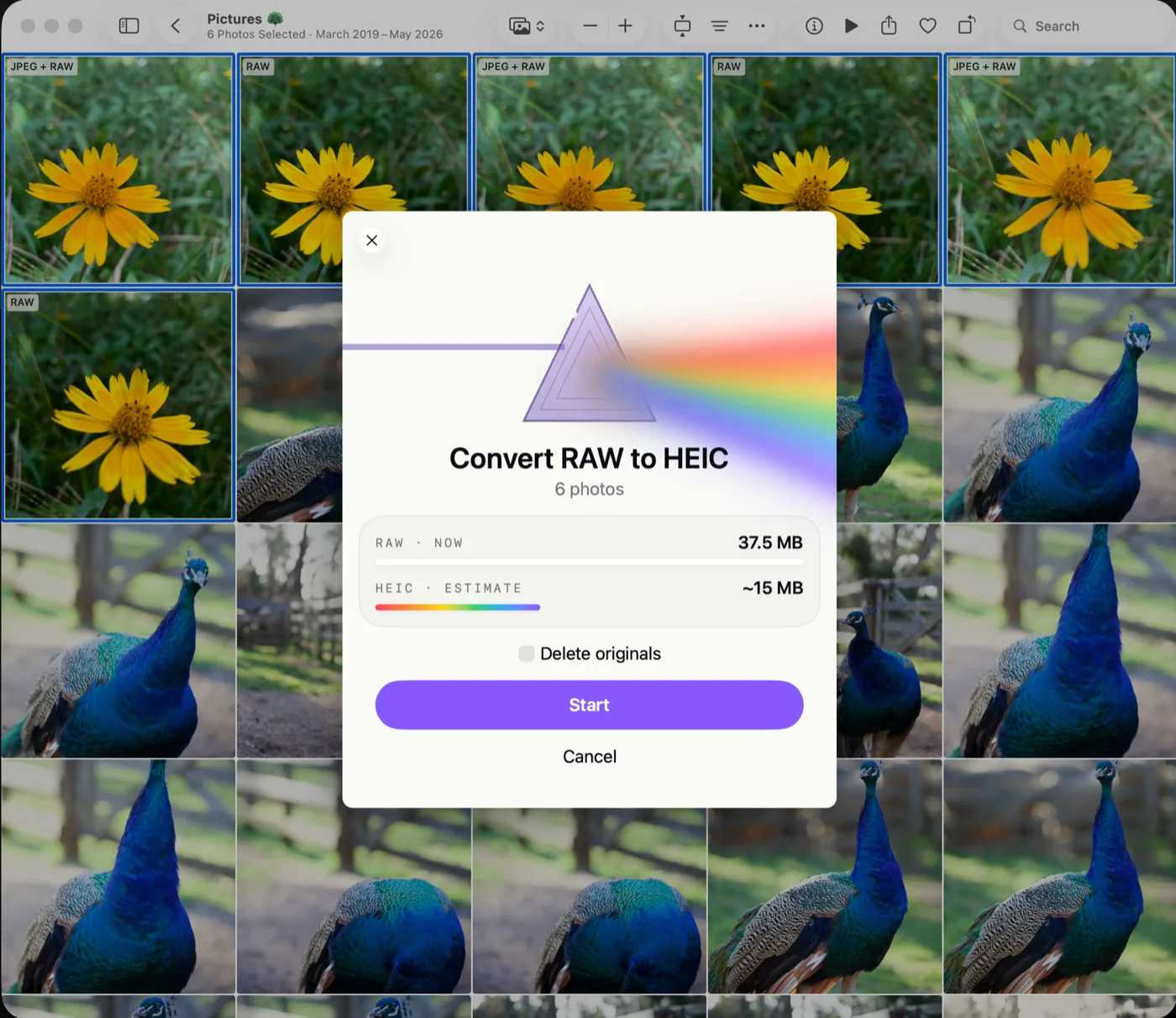
Schätzung bestätigen
Sehen Sie, wie viel Speicherplatz Sie zurückgewinnen, bevor etwas passiert, und entscheiden Sie, ob die Originale bleiben oder gelöscht werden.
03
Einfach laufen lassen
Stapel werden im Turbo-Modus mit Live-Fortschritt umgewandelt und zeigen anschließend die Ersparnis pro Foto sowie die Gesamtreduzierung.
Das Löschen von Originalen ist optional und gilt pro Stapel — selbst dann wird nichts entfernt, bevor das umgewandelte Foto in Ihrer Bibliothek gespeichert und überprüft wurde.
Ein RAW wird nie gelöscht, bevor sein HEIC gespeichert und überprüft wurde.
Jederzeit abbrechen — fertige Fotos bleiben erhalten, ausstehende werden gestoppt.
Alles geschieht auf Ihrem Gerät. Keine Uploads, keine Analyse-Tools, kein Konto.
Erfordert iOS 18, iPadOS 18 oder macOS 15 Sequoia.
Was Fotografinnen und Fotografen sagen.
4.8★★★★★21 Bewertungen aus 9 Ländern im App Store
5 von 5 Sternen★★★★★
Really useful
Solves the issue that the built-in conversion options have with image resolution and RAW files. It quickly converted the ~600 or so RAW files I had imported from my A7R5 to HEIFs with no issues. Letting me keep the RAW files on my backup drive and free up the internal iPad storage.
5 von 5 Sternen★★★★★
Absolute game-changer to a long-term issue
I have uploaded everything from my camera in RAW over the years, resulting in 30K images on my library that could be smaller. There was before no automated way without including auto-upload to Photos, maintaining their chronological order and position in albums. This does it all!
5 von 5 Sternen★★★★★
Perfection all round
Super clean app, very stable and handles long running batch runs super well! Highly recommend
5 von 5 Sternen★★★★★
Accidentally had phone in RAW. This solved it…
Well, thanks to the BING search engine A.I. recommending this, this became the fasted in-app purchase I have ever made. My camera got set to RAW accidentally earlier this week. I could not find an easy way to convert, and let a robot give me all kinds of options.
This program seemed to be the easiest. I tried it and it went so well, I bought the full version instantly. It can also compress PNG screenshots down to HEIX saving space, which is a nice bonus. I have screenshots going back to 2007 or whenever that feature first came to the iPhone ;-)
Nice job. I need to figure out how to filter by PNG, as it let me select screenshots twice, converting HEIC to HEIC. Since it showed the same before/after size, I assume it didn’t really reconvert… but the UI was not clear on what it was doing.
4 von 5 Sternen★★★★☆
The essential tool when using RAW format on the iphone
Wonderful tool to find and convert raw photos to jpg. The workflow is to transfer raws away from the iphone for photo editing and then converting such raws on the phone to jpgs to free up the precious space for your next raw shoot.
The only very minor caveat is with Onedrive Photo Backup: once the uploaded raws are converted to jpg, the are uploaded again on the next sync so that every uploaded raw has an uploaded jpg copy.. hm.
5 von 5 Sternen★★★★★
Easy and simple
Claiming back screenshots space in 3 taps 🚀
4 von 5 Sternen★★★★☆
Really nice app but clashes every 734 pics
I don’t know why but I really clashes every 734 pics.
5 von 5 Sternen★★★★★
Funciona perfecta
Aunque sea de pago permite hacer 50 transformaciones al día y lo hace perfectamente, manteniendo el mapa HDR como en el original
5 von 5 Sternen★★★★★
Free up 50GB in minutes
Was running out of space after shooting in JPEG-XL Lossless for a long time. Instead of deleting old photos and/or setting my iPhone Camera to a lower quality setting I can keep shooting RAW, edits the ones I like, and easily convert the rest to jpeg with this app. What a time and storage saver! Also the developer is very friendly and responds to bug reports promptly.
Rezensionen aus dem App Store, im Original.
Kostenlos testen, bei Bedarf auf unbegrenzt umsteigen
Ohne Installation ausprobieren.
Richten Sie die Kamera Ihres iPhones auf den Code, um sofort ein paar Fotos umzuwandeln. Keine Installation nötig, nichts verlässt Ihr Gerät.
Wandeln Sie sofort ein paar Fotos mit dem kostenlosen App Clip um. Keine Installation nötig, nichts verlässt Ihr Gerät.
50 kostenlose Umwandlungen pro Tag, geht aufs Haus.
Unbegrenzt: $19.99 einmalig – oder $9.99/Jahr.
Ein einziger Kauf für iPhone, iPad und Mac.
Kein Konto, keine Werbung, keine Analyse-Tools.
★4.8 · 21 APP STORE-BEWERTUNGEN
Fragen und Antworten.
Welche Formate werden unterstützt?
Canon CR3, CR2 und CRW; Sony ARW und SR2; Nikon NEF und NRW; Fujifilm RAF; Olympus ORF; Panasonic RW2; Pentax PEF; Hasselblad 3FR und FFF; Adobe DNG und iPhone ProRAW — sowie JPEG-, PNG-, TIFF- und HEIC-Dateien.
Werden meine RAW-Originale gelöscht?
Nur, wenn Sie es möchten. Das Löschen ist eine Entscheidung pro Stapel, und ein RAW wird erst entfernt, nachdem sein HEIC gespeichert und in Ihrer Bibliothek überprüft wurde. Gelöschte Originale bleiben 30 Tage lang unter „Kürzlich gelöscht“ erhalten.
Funktioniert es mit iCloud-Fotos?
Ja. Originale werden automatisch heruntergeladen, falls sie nicht auf Ihrem Gerät vorhanden sind, und umgewandelte HEICs synchronisieren sich wie jedes andere Foto.
Was ist mit Bearbeitungen in Fotos?
Bearbeitungen bleiben erhalten. Das umgewandelte Foto behält Ihre Anpassungen genau so, wie sie in Fotos aussehen.
Bleibt HDR erhalten?
Ja. RawToHEIC schreibt eine HDR-Gain-Map in das umgewandelte HEIC, damit Fotos ihre Leuchtkraft auf HDR-Displays behalten.
Werden meine Daten erfasst?
Nein. Die Umwandlung erfolgt vollständig auf dem Gerät. Die App verzichtet auf Analyse-Tools, ein Konto und jede Art von Tracking.
Einmalkauf oder Abo?
Sie haben die Wahl. Die App ist kostenlos für 50 Umwandlungen pro Tag; unbegrenzt kostet $19.99 einmalig (dauerhaft) oder $9.99/Jahr — ein einziger Kauf gilt für iPhone, iPad und Mac.