Easy and simple
Claiming back screenshots space in 3 taps 🚀
App Store · Australia
RawToHEIC is an on-device app that converts camera RAW and iPhone ProRAW files to HEIC inside Apple Photos on iPhone, iPad, and Mac — up to 10× smaller, with edits, albums, favorites, and metadata kept intact. Free for 50 conversions a day; unlimited for $19.99 once or $9.99/year.
68 GB freed on a typical 2,500-photo library.
52.4 MB CR3 → 5.8 MB HEIC · visually identical
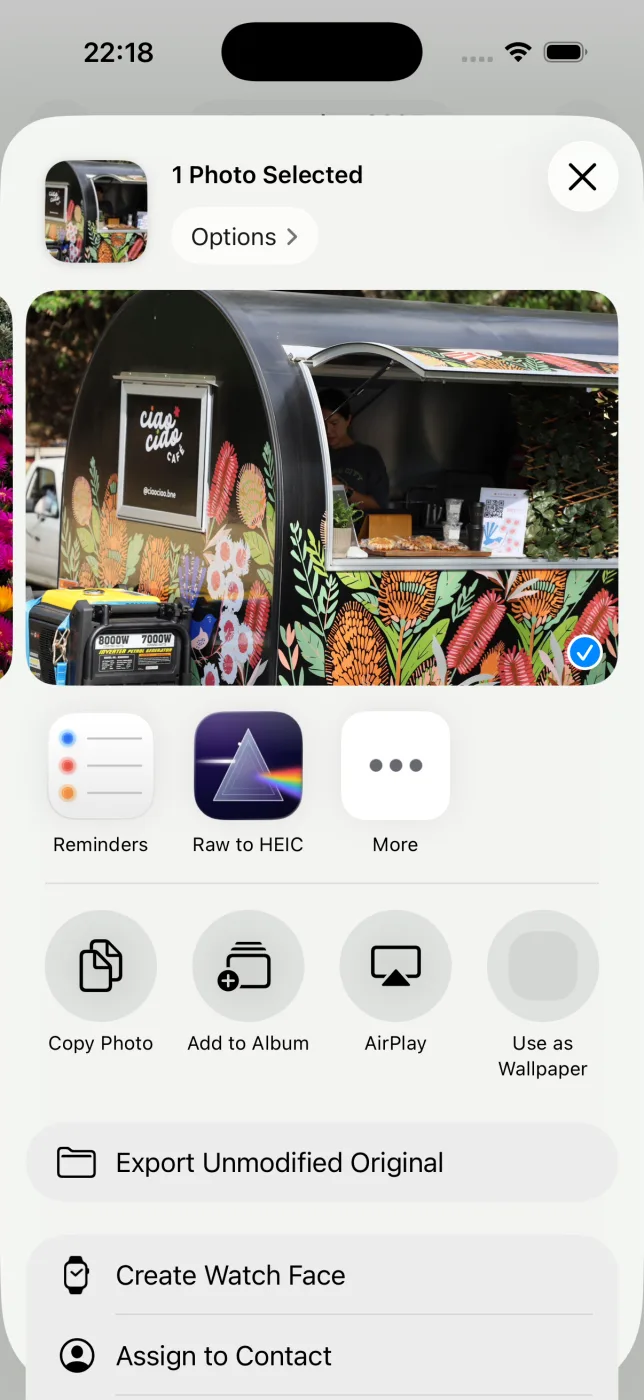
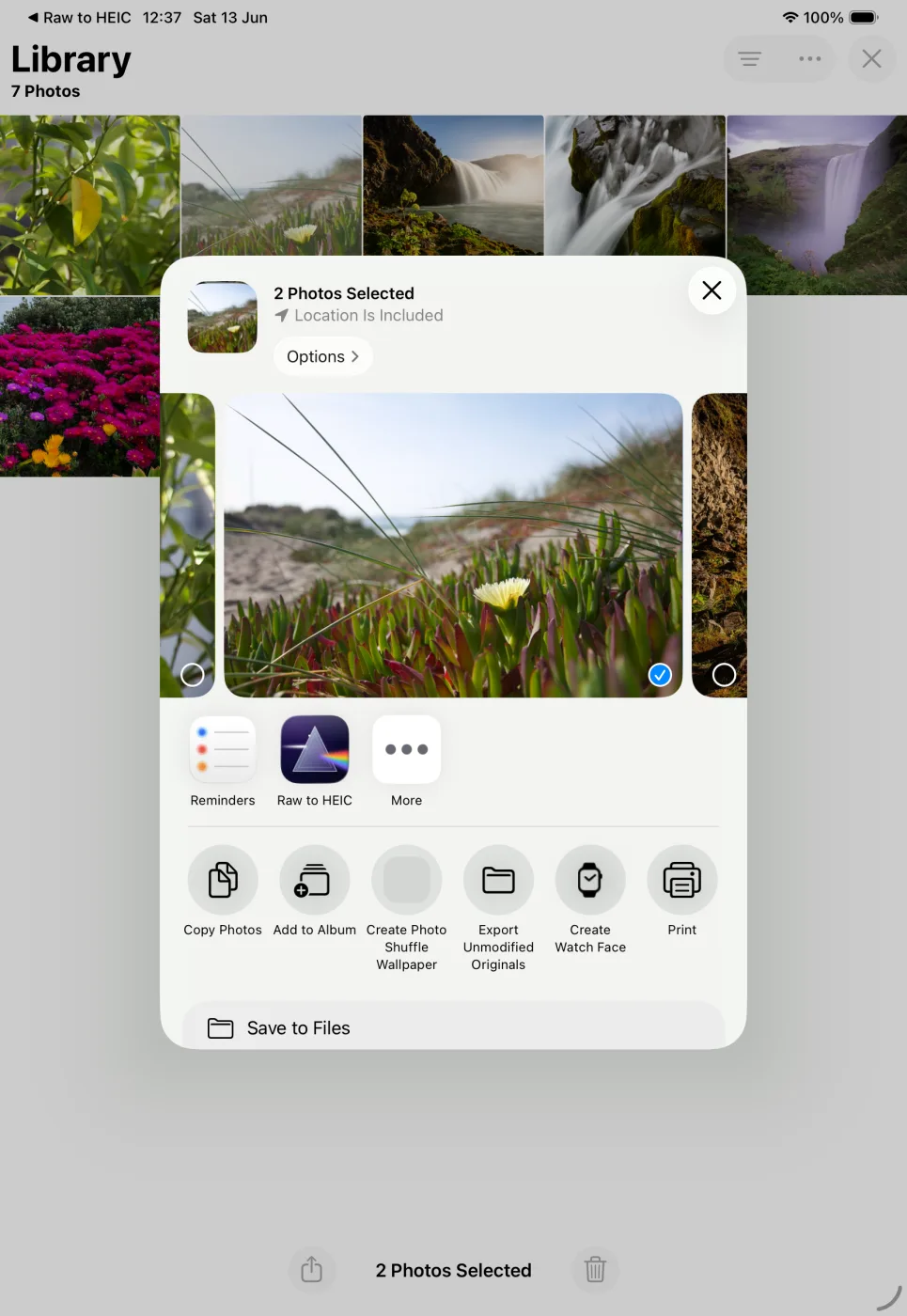
Pick any photos in Apple Photos and open the Share sheet. RawToHEIC is right there.
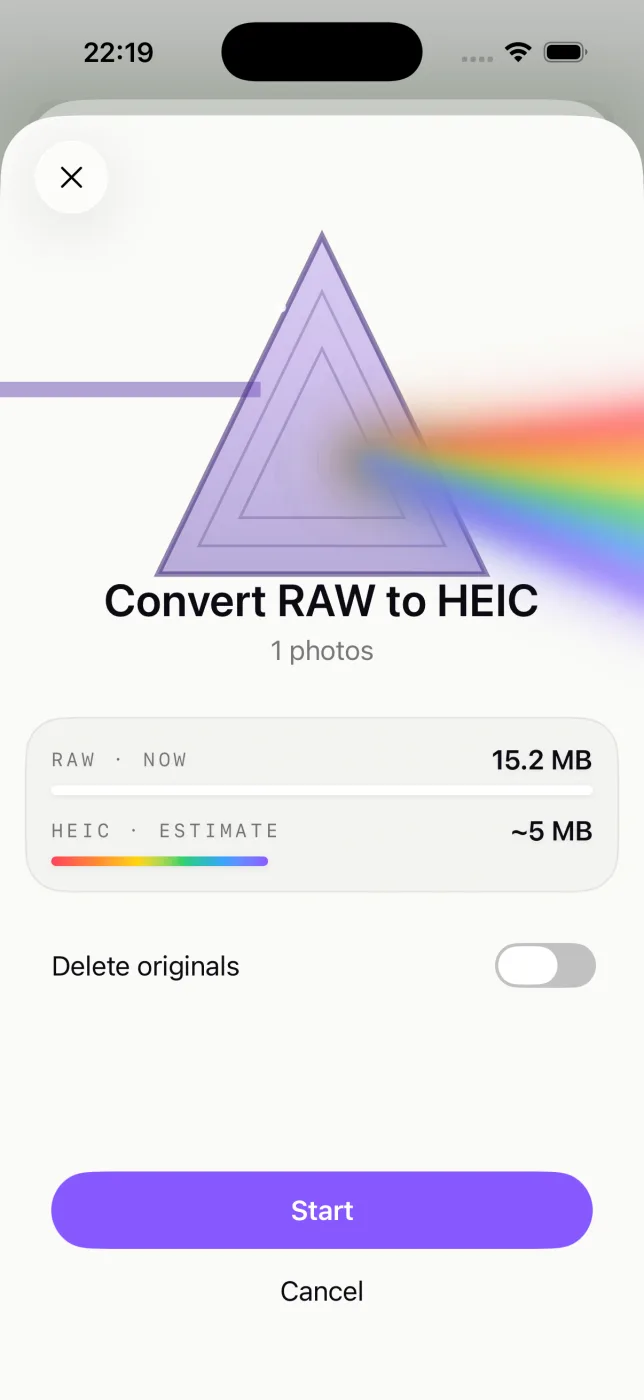
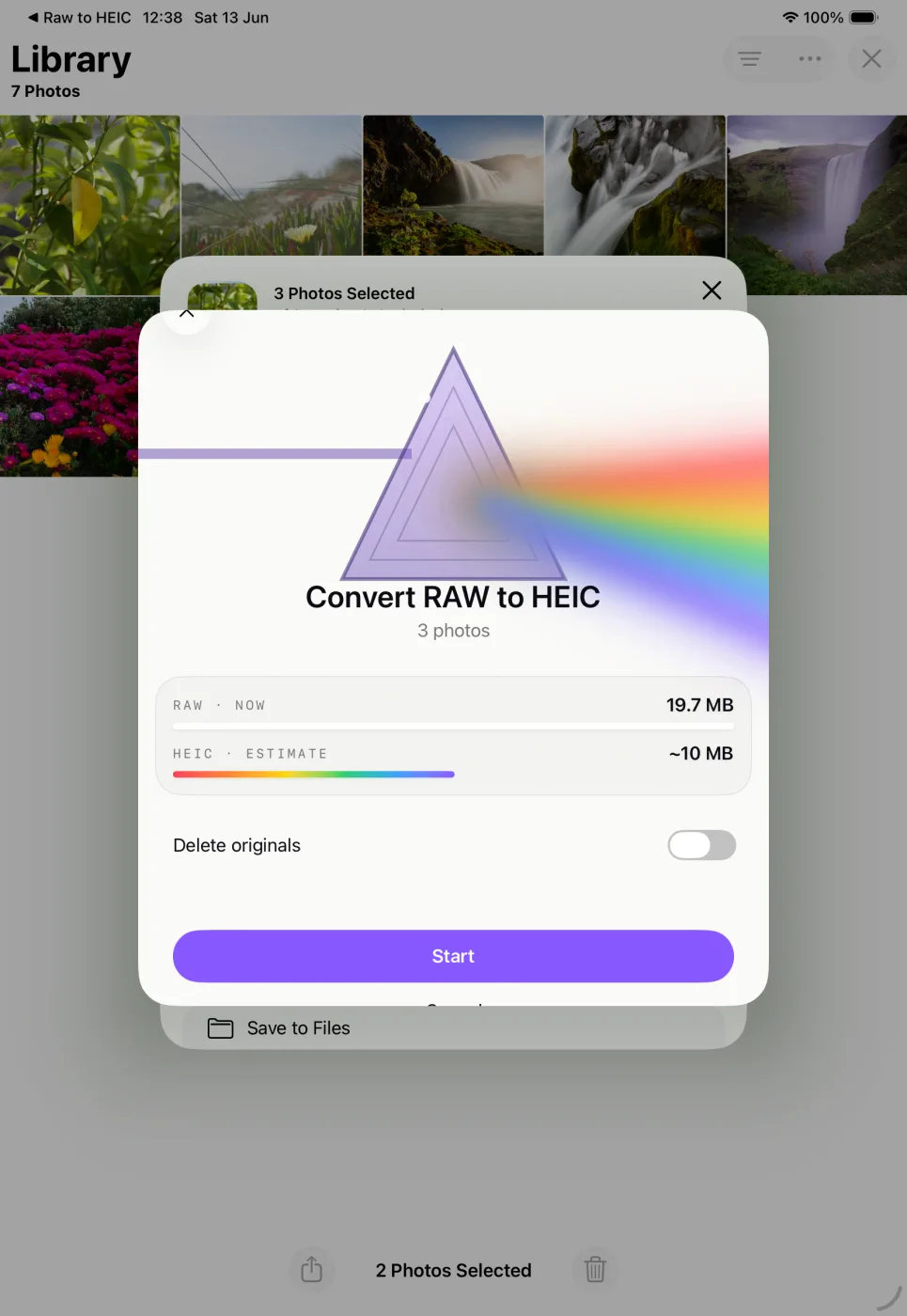
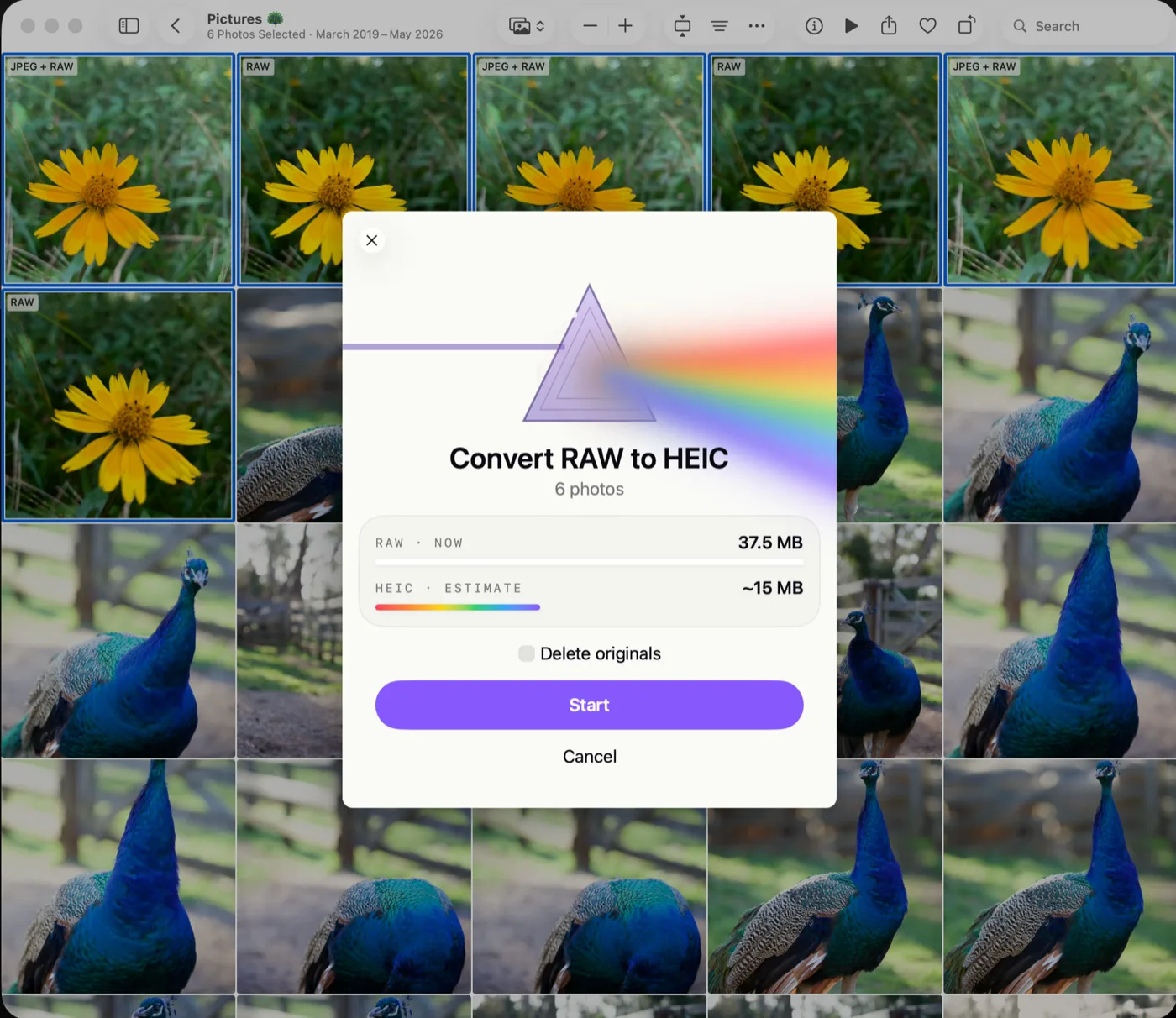
See how much space you'll get back before anything happens, and decide whether the originals stay or go.
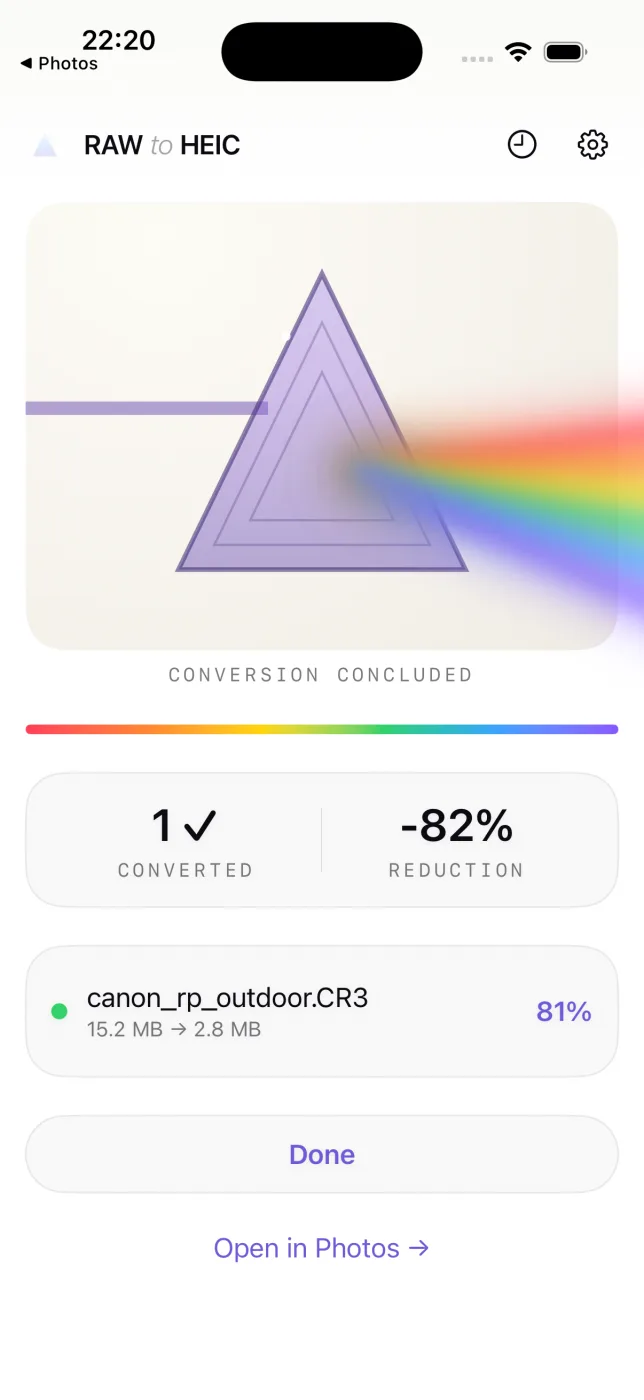
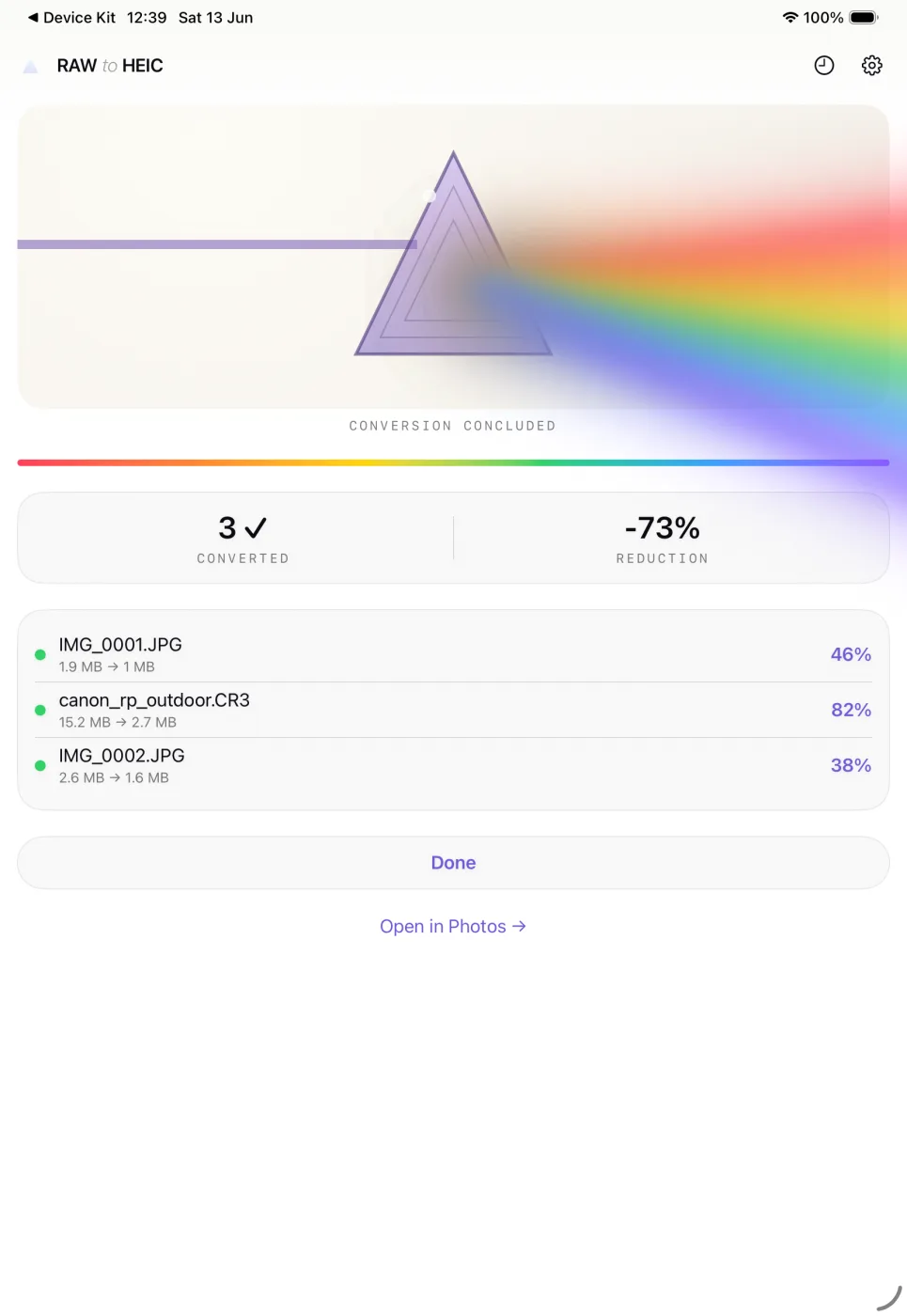
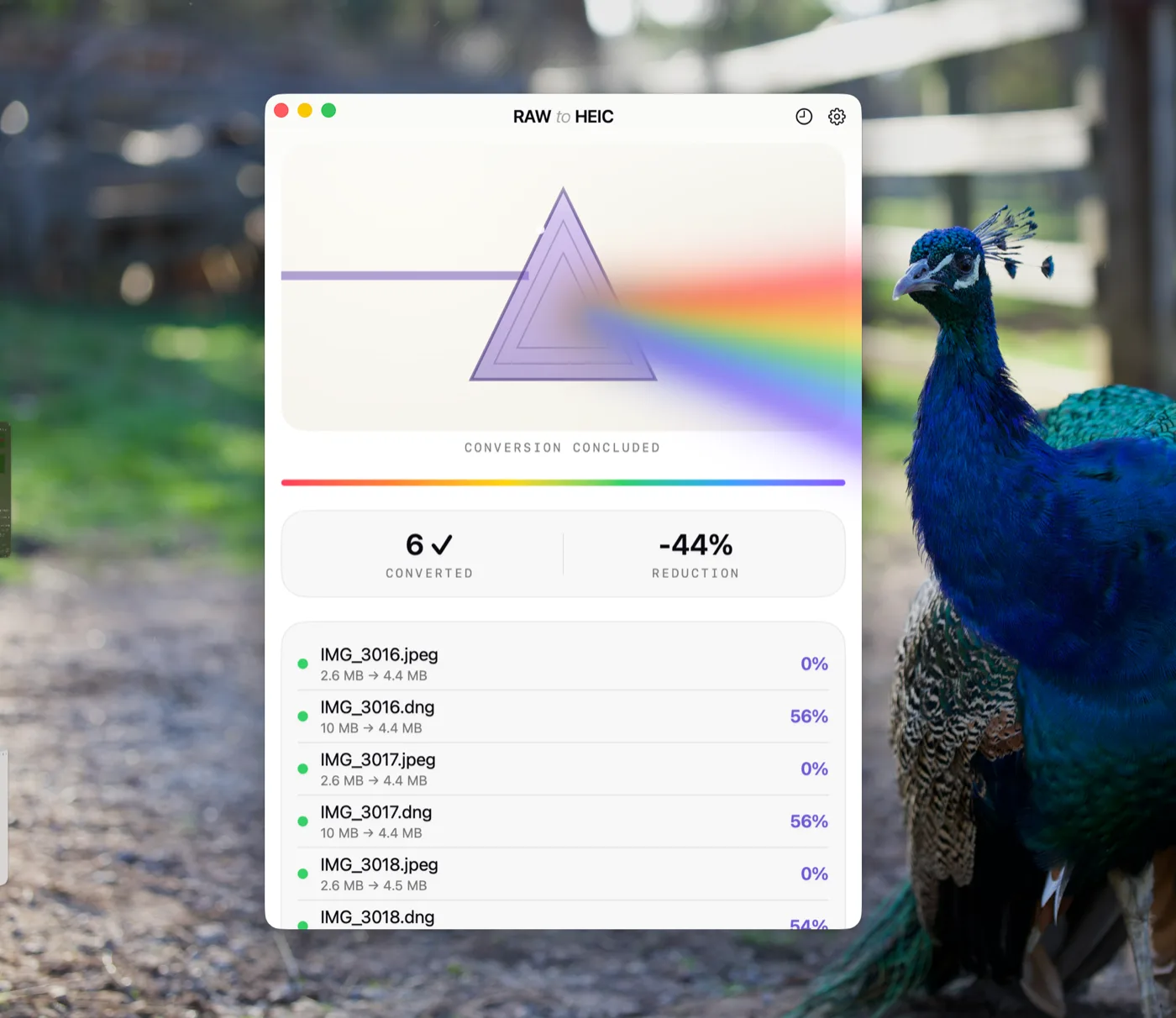
Conversion runs in the background with a Live Activity. Albums, edits, and favorites stay exactly where they were.
Pick photos in Apple Photos, tap Share, and choose RawToHEIC.
See how much space you'll get back before anything happens, and decide whether the originals stay or go.
Conversion runs in the background. Albums, edits, and favorites stay exactly where they were.
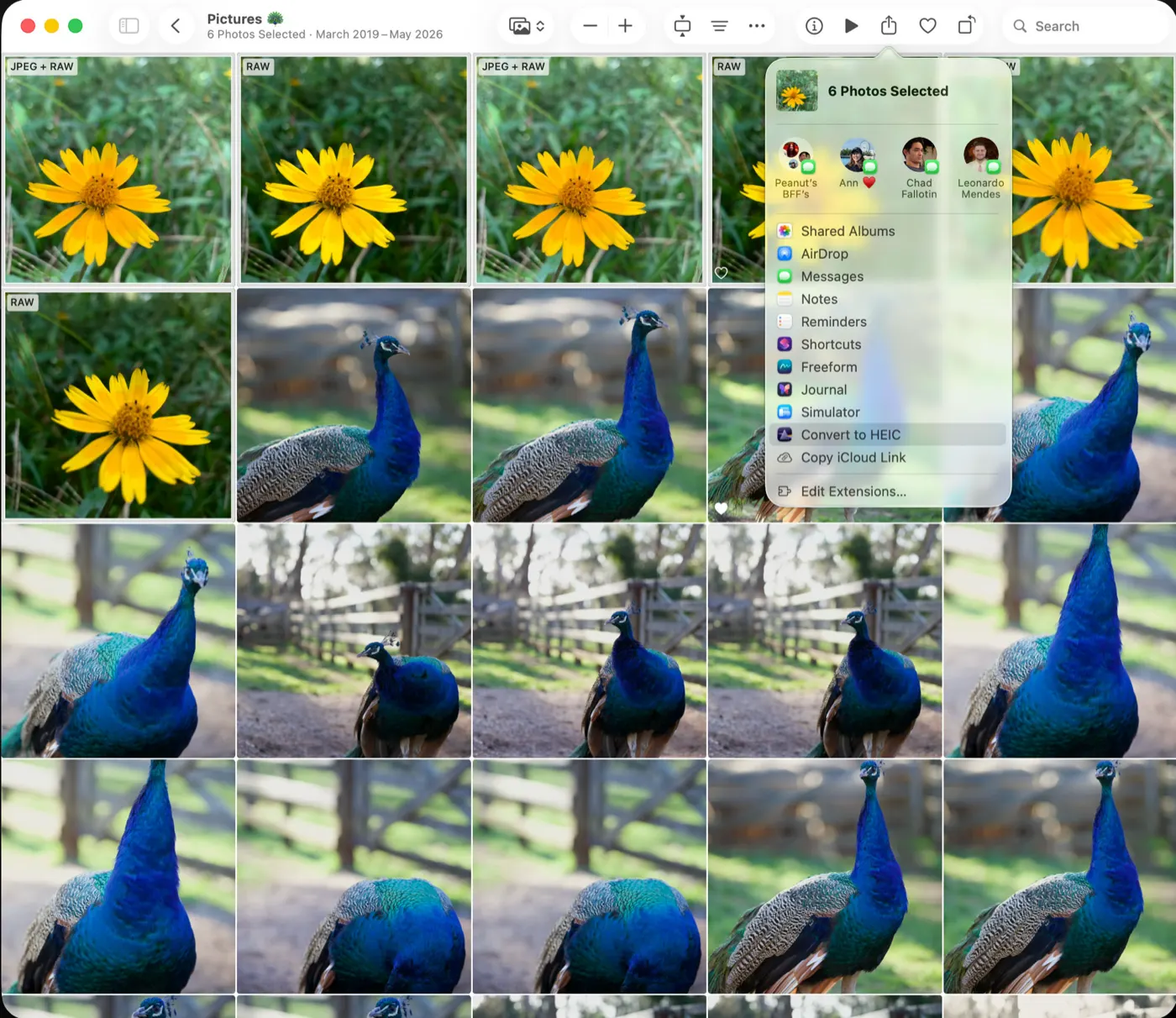
Select photos in Apple Photos, hit Share, and choose Convert to HEIC.
See how much space you'll get back before anything happens, and decide whether the originals stay or go.
Batches convert with Turbo Mode and live progress, then show per-photo savings and the total reduction when it's done.
Deleting originals is opt-in, per batch — and even then, nothing is removed until the converted photo is written to your library and verified.
CR3 · CR2 · CRW · ARW · SR2 · NEF · NRW · RAF · ORF · RW2 · PEF · 3FR · FFF · DNG / ProRAW · JPEG · PNG · TIFF · HEIC
Requires iOS 18, iPadOS 18, or macOS 15 Sequoia.
Easy and simple
Claiming back screenshots space in 3 taps 🚀
App Store · Australia
Free up 50GB in minutes
Was running out of space after shooting in JPEG-XL Lossless for a long time. Instead of deleting old photos and/or setting my iPhone Camera to a lower quality setting I can keep shooting RAW, edits the ones I like, and easily convert the rest to jpeg with this app. What a time and storage saver! Also the developer is very friendly and responds to bug reports promptly.
App Store · Australia
Amazing app
This app is really great.
App Store · Brazil
Point your iPhone camera at the code to convert a few photos right now. Nothing to install, nothing leaves your device.
Convert a few photos right now with the free App Clip. Nothing to install, nothing leaves your device.
Canon CR3, CR2, and CRW; Sony ARW and SR2; Nikon NEF and NRW; Fujifilm RAF; Olympus ORF; Panasonic RW2; Pentax PEF; Hasselblad 3FR and FFF; Adobe DNG and iPhone ProRAW — plus JPEG, PNG, TIFF, and HEIC files.
Only if you ask it to. Deleting is a per-batch choice, and a RAW is removed only after its HEIC is saved and verified in your library. Deleted originals stay in Recently Deleted for 30 days.
Yes. Originals download automatically if they aren't on your device, and converted HEICs sync like any other photo.
Edits carry over. The converted photo keeps your adjustments exactly as they look in Photos.
Yes. RawToHEIC writes an HDR gain map into the converted HEIC, so photos keep their pop on HDR displays.
No. Conversion is entirely on-device. The app has no analytics, no account, and no tracking of any kind.
Your choice. The app is free for 50 conversions a day; unlimited is $19.99 once (yours forever) or $9.99/year — one purchase covers iPhone, iPad, and Mac.
Built by the same maker, for the same photo library.