Best Formats for iPhone Photographers Today
A 48MP ProRAW photo can be extraordinary when you need to recover a bright sky, refine skin tones, or print large. It can also consume tens of megabytes for a single frame. Multiply that by a weekend trip, a family archive, or a mirrorless camera import, and storage stops being an abstract number.
The best formats for iPhone photographers are not one format. They are a small, intentional system: capture in the format that preserves the latitude you need, keep images in a format that works naturally in Photos, and export only when compatibility requires it. The right choice depends on whether the photo is still being edited, ready to keep, or ready to send.
The short answer: use each format for a different job
For most everyday photography, HEIC is the right default. It is efficient, high quality, and built for Apple’s Photos workflow. Use ProRAW when a scene is difficult enough to justify deeper editing control. Use standard camera RAW from a DSLR or mirrorless camera when you need the latitude that camera delivers. Use JPEG when the recipient, website, or device specifically needs maximum compatibility.
The mistake is treating every original as if it needs to remain a large working file forever. A completed photo and an unfinished photo have different requirements.
HEIC is the best everyday format for iPhone photos
HEIC is Apple’s modern photo format, based on HEIF compression. In practical terms, it gives you excellent image quality at a much smaller size than JPEG. It also fits naturally into iPhone, iPad, Mac, iCloud Photos, albums, Favorites, captions, locations, and the editing tools already in Photos.
For daily shooting, HEIC is usually the best balance of quality and storage efficiency. It is especially well suited to travel, family photos, casual portraits, product shots, and any image you expect to revisit or share from the Apple ecosystem. On supported Apple devices, it can also preserve the richer tonal information used by HDR photos.
HEIC is not a lesser format because it is smaller. It is a more efficient delivery and library format. For a photo that is already well exposed and does not need heavy post-processing, shooting or keeping HEIC avoids creating storage pressure you never needed.
There is one trade-off: some older apps, websites, and non-Apple devices still handle JPEG more predictably. That is a sharing problem, not a reason to build your entire library around an older format. Photos can create a compatible JPEG when needed, while your main library stays compact.
Choose HEIC when the image is finished or nearly finished
HEIC makes the most sense when the creative decisions are complete. You can still crop, adjust color, use filters, and make other non-destructive edits in Photos. What you give up compared with RAW is the large reserve of untouched sensor data for major exposure or white-balance recovery.
That is a sensible trade for images that are already where you want them. Keeping a finished photo in HEIC means more room for the next shoot, without turning your library into loose files scattered across folders and drives.
ProRAW is for difficult light and serious editing
Apple ProRAW combines iPhone computational photography with a DNG-based RAW file. It is designed for photographers who want more control over tone, color, white balance, and detail after capture. On compatible iPhone Pro models, ProRAW can be particularly valuable for high-contrast scenes, night images, mixed lighting, and photographs intended for detailed retouching or large output.
Its cost is file size. A ProRAW image can be dramatically larger than its HEIC equivalent, especially at higher resolution. That affects local device storage, iCloud storage, backup time, and the speed of moving through a large Photos library.
Shoot ProRAW deliberately, not permanently. Turn it on when the scene earns it: a sunset with a bright horizon, an interior with window light, an important portrait, or a photograph you know you will edit carefully. For snapshots and repeatable daylight scenes, HEIC is normally the smarter option.
Keep ProRAW while you are still deciding
A RAW file is a working original. If you are testing different edits, sending the image to an advanced editor, or preparing a print, retain it. Do not compress away the flexibility you have not used yet.
Once the edit is final, the decision changes. Many photographers do not need to keep every large RAW original indefinitely. A high-quality HEIC version can be a practical long-term library file, particularly when it stays in the same Photos workflow with its date, location, captions, albums, Favorites, and edits intact.
Camera RAW is best for imported DSLR and mirrorless work
If you shoot Canon, Sony, Nikon, Fujifilm, Olympus, Panasonic, or another dedicated camera system, your RAW files serve the same core purpose as ProRAW: maximum editing latitude. Their file extensions may differ, but the principle does not. Keep them while the image is active, then decide what deserves long-term RAW storage.
Some photographs absolutely do. Paid work, portfolio images, irreplaceable family milestones, and files you may revisit for a new print or edit are strong candidates for retaining the original RAW file in a separate, backed-up archive.
But not every frame needs that treatment. A large imported RAW library can make iCloud storage expensive and everyday Photos use less pleasant. For images you have edited and approved, converting to HEIC can reduce space by up to 10x, depending on the camera, file, and image content. The goal is not to erase your originals blindly. It is to reserve high-cost storage for files that still benefit from it.
JPEG is the compatibility format, not the default archive
JPEG remains useful because nearly everything opens it. Client portals, older web forms, printers, office software, and unfamiliar devices are less likely to object to JPEG than HEIC. If you need to email a photo to someone using an older system or upload to a restrictive service, JPEG is a safe choice.
For a Photos-based Apple library, though, JPEG is rarely the best long-term default. It generally needs more storage than HEIC for comparable visual quality and does not offer the same efficiency for modern Apple workflows. JPEG is best treated as a copy made for a specific destination.
If a platform accepts HEIC, use HEIC. If it does not, make a JPEG for that platform and keep your main library organized around the format that saves space.
A practical format workflow for Photos users
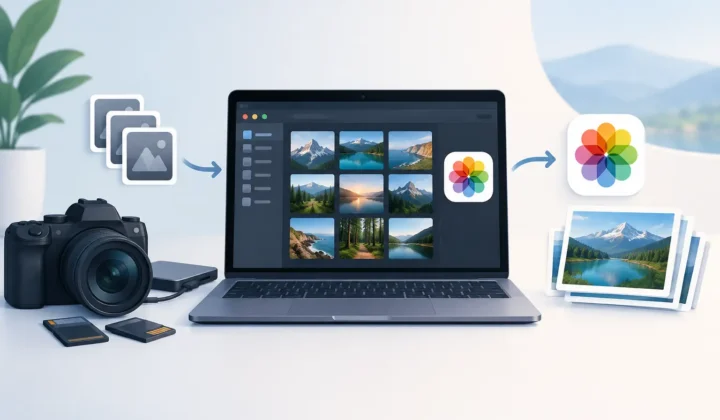
The cleanest workflow separates capture, editing, and archiving. Capture everyday moments in HEIC. Capture demanding scenes in ProRAW or your camera’s RAW format. Edit while the RAW original is available. Then, when an image is complete, create a smaller HEIC version for your active Photos library.
The difficult part has historically been preserving the context around the image. Traditional converters often force an export to Files, a conversion somewhere else, and a manual reimport. That can leave you sorting duplicates and wondering which copy holds the right metadata, album placement, and edits.
RawToHEIC is built for this exact handoff. It converts supported RAW files, including major camera RAW formats and iPhone ProRAW, directly inside Photos on iPhone, iPad, and Mac. There is no loose-file workflow. Processing happens on device, with no analytics collection, and verified deletion safeguards help prevent removing a RAW original before its HEIC replacement is safely created. The result is a smaller library without abandoning the organization you already built.
How to decide whether a RAW file can become HEIC
Ask one question: will this image benefit from another substantial RAW edit? If the answer is yes, keep the RAW. If the answer is no, a HEIC copy is often the practical choice.
For images with personal or professional value, keep a backup before deleting any original. Storage optimization should be reversible in spirit, even when you are confident in the conversion. You might retain RAW files from your best work and convert the rest of a completed shoot, or keep RAW for one year before reviewing it again. The right retention policy depends on your storage budget and how often you revisit old edits.
Also check the image itself. If you need a layered Photoshop-style workflow, specialized retouching, or a future large-format print with maximum flexibility, retain RAW. If the edit is locked, the image looks right, and your priority is an efficient Photos library, HEIC is the better fit.
The best format is the one that matches the photo’s next life
Formats are not a contest between quality and convenience. They are tools for different stages of photography. RAW protects your options. HEIC protects your storage. JPEG protects compatibility.
Keep the large originals that still have creative work ahead of them. Let finished photos become efficient, native members of your Photos library. Your next trip, shoot, or import will feel lighter because you made room for it on purpose.
Shrink your RAW library, right inside Photos.
RawToHEIC converts camera RAW and iPhone ProRAW to HEIC up to 10× smaller — keeping every edit, album, favorite, and location. On-device, no account, one purchase for iPhone, iPad, and Mac.

Not sure yet? Convert a few sample photos free — no install, nothing uploaded.
Try it free — no install →