SR2 · Sony RAW (older)
Convert SR2 to HEIC
SR2 is a rare, early Sony RAW format — in practice, the one the Cyber-shot DSC-R1 produced in 2005, just before Sony’s Alpha line adopted ARW. There are not many SR2 files out there, but the archives that hold them tend to be long-standing collections worth keeping tidy. RawToHEIC converts your SR2 files to HEIC inside Apple Photos, keeping every edit, album, favorite, and location.

What is an SR2 file?
An SR2 file is an early Sony RAW format, used most notably by the Cyber-shot DSC-R1 in 2005 — a high-end fixed-lens camera released just before Sony’s Alpha system switched to the ARW format that replaced it. Like any RAW it stores unprocessed sensor data, with files around 10 to 20 MB. If your archive still holds SR2 shots, converting the finished ones to HEIC keeps them in your library while reclaiming the space.
Convert SR2 right inside Photos
No exporting to Files, no importing back, nothing uploaded. Select your SR2 photos in Apple Photos, tap Share, and let RawToHEIC convert them on iPhone, iPad, or Mac.
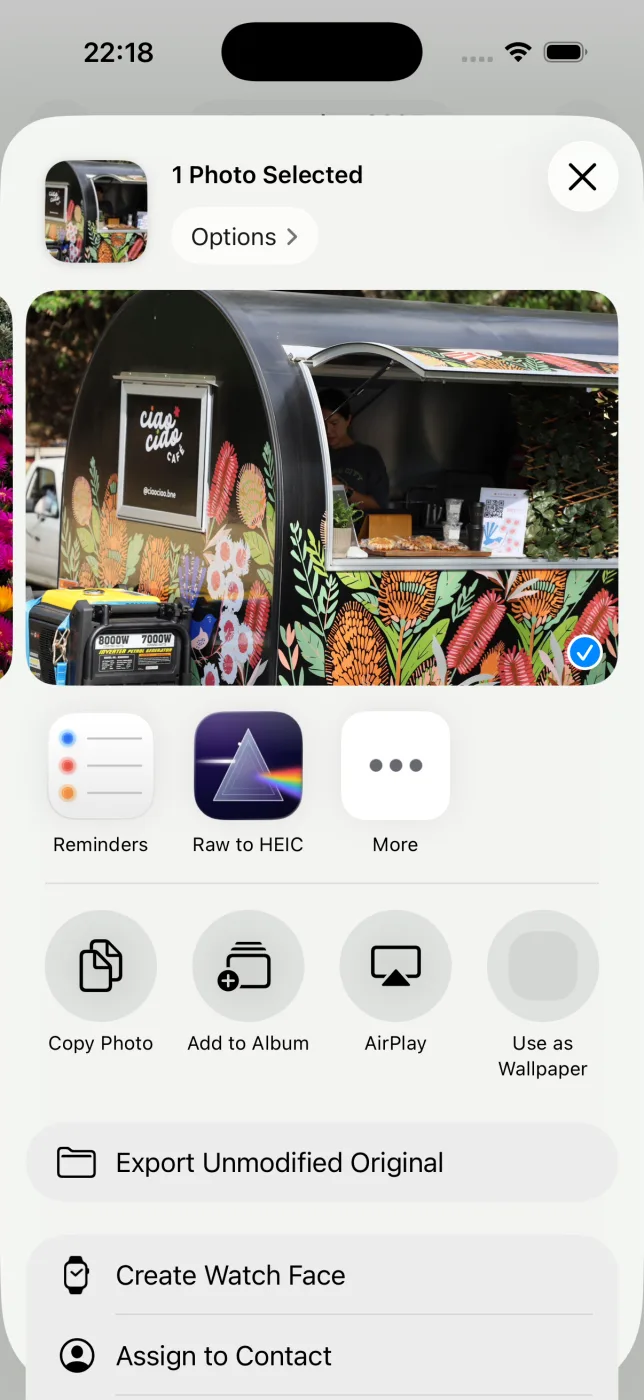
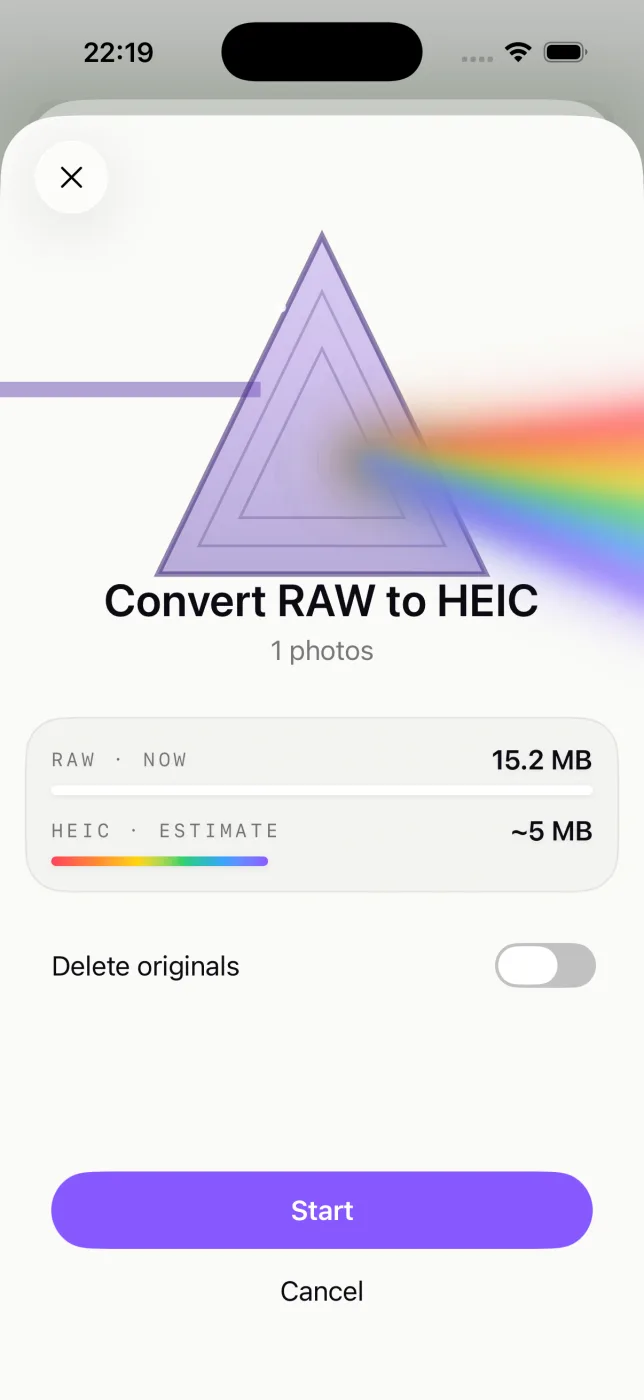
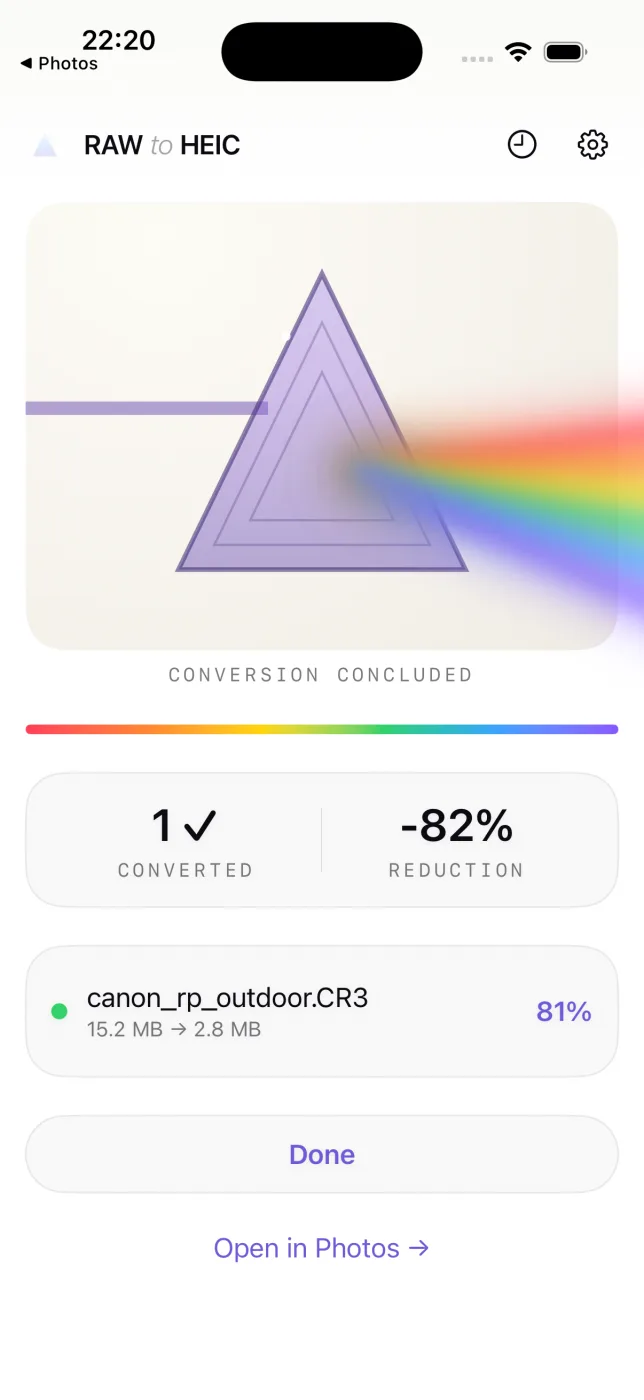
Everything about the photo is kept
- Edits, crops, and adjustments carry over exactly as they look in Photos.
- Album membership, favorites, captions, and keywords stay put.
- Location and full camera metadata (EXIF) travel with the HEIC.
- HDR is preserved with an ISO 21496-1 gain map.
- Your originals are never deleted until the HEIC is saved and verified.
Cameras that shoot SR2
In practice SR2 came from a single camera — the Cyber-shot DSC-R1 — just before Sony moved its Alpha line to ARW. If your archive includes it, RawToHEIC converts its files:
SR2 questions, answered
What is an SR2 file?
An SR2 is an early Sony RAW format from the mid-2000s, used before ARW. It holds unprocessed sensor data, like any RAW.
How do I open an SR2 file?
Recent versions of Apple Photos and Preview can open SR2, and RawToHEIC reads them from your Photos library to convert them.
Can I convert SR2 to a modern format?
Yes. RawToHEIC converts SR2 to HEIC, an efficient current format, while keeping the photo’s edits, album, and metadata.
Does converting an SR2 reduce quality?
HEIC is lossy, a trade of a small visual difference for a much smaller file. Keep the original for anything irreplaceable.
Will it delete my original SR2 files?
Only if you choose to, per batch, and never until the HEIC is saved and verified. Deleted originals stay in Recently Deleted for 30 days.
Get your storage back.
Convert your SR2 files to HEIC on-device, keep every edit and album, and reclaim the space — one purchase for iPhone, iPad, and Mac.
Not sure yet? Convert a few sample photos free — no install, nothing uploaded.
Try it free — no install →