Is HEIC Good for Archiving Your Photo Library?

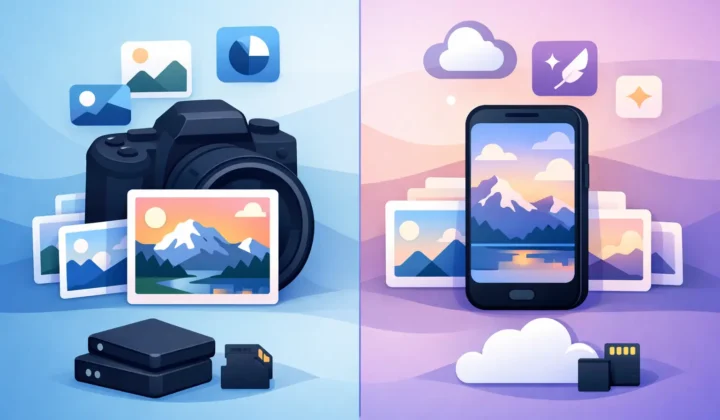
A 40 MB RAW file can be valuable while you are editing it. Five years later, when the photo is finished, it may be one of thousands quietly pushing your Photos library into another storage tier. So, is HEIC good for archiving? For many completed photos in an Apple-based library, yes. But it is not a universal replacement for RAW, and a sensible archive keeps that distinction clear.
HEIC can reduce photo storage dramatically while preserving the image you actually want to revisit, share, print, and enjoy. The right approach is usually not to convert everything blindly. It is to keep RAW where its editing latitude matters and use HEIC for finished images that no longer need a full digital negative.
Is HEIC Good for Archiving in Apple Photos?
HEIC is a strong archival format for finished photographs when your archive lives primarily in Apple Photos and you expect to use Apple devices for the foreseeable future. It stores high-quality images in far less space than RAW and often less space than JPEG at comparable visual quality. For a large library, that can mean the difference between a manageable cloud library and an expensive, constantly growing one.
Apple has supported HEIC across iPhone, iPad, and Mac for years. Photos understands it natively, along with common photo-library essentials such as capture date, location, favorites, albums, captions, and adjustments. That matters because an archive is more than a folder full of image files. The organization you have built around your photos is part of the archive too.
HEIC is also well suited to the way most people revisit old pictures. A finished vacation photo, family portrait, or event image is usually viewed on a phone, tablet, laptop, TV, or shared online. At normal viewing sizes, a carefully created HEIC can look excellent while using a fraction of the space of the source RAW.
The trade-off is simple: HEIC is a compressed, rendered image. It does not preserve the full sensor data held in a RAW file. Once the RAW is gone, you cannot return to its original white balance range, highlight recovery, shadow detail, or camera-profile flexibility.
What HEIC Preserves – and What It Leaves Behind
A RAW file is not a finished photograph. It is the camera’s source capture, built to give you room to interpret the scene later. That is why it is useful for difficult lighting, major color work, large exposure corrections, and prints that may need a different treatment in the future.
A HEIC is the finished result of those choices. It can preserve a high-quality image, including HDR where the conversion workflow supports it, but it is not an editable RAW negative. You can still make everyday adjustments in Photos, crop, straighten, change color, and apply filters. What you lose is the deep recovery headroom that came from the original sensor data.
That distinction makes HEIC a good archive for these situations:
- Photos you have already edited to a final look.
- High-volume travel, family, event, and everyday images you want to keep accessible.
- Images stored and managed mainly in Apple Photos.
- Libraries where storage savings matter more than retaining every RAW adjustment option.
It is less suitable as your only copy for portfolio work, commercial assignments, rare one-time captures, scans you may restore later, or photos with unfinished edits. Keep the RAW for images you may need to reinterpret, license, print at a demanding size, or deliver under future requirements.
A Better Archival Plan Is Tiered, Not All-or-Nothing
The best photo archive usually contains more than one format. Think in terms of purpose rather than declaring one format permanently superior.
Keep a protected RAW collection for your best work and anything with continuing professional or creative value. This might include your top selects from a shoot, photos with difficult mixed lighting, client deliverables, and irreplaceable personal images. Store those originals in at least two places, with one copy separate from your main device or cloud account.
For the broader library, keep finished HEIC versions in Photos. They remain easy to browse, search, organize, share, and edit lightly without carrying the storage cost of every RAW file. A 10x reduction is possible in some RAW-to-HEIC cases, although the exact savings depend on camera resolution, scene detail, and the source format.
This two-tier approach is more practical than treating every photo as museum-grade source material. Most libraries have a small percentage of images that deserve RAW retention and a much larger percentage that deserve to stay available without consuming unnecessary storage.
Format Longevity Is Only One Part of Archiving
People often ask whether HEIC is safe for the long term because format support can change. That is a fair concern. HEIC is based on the HEIF container format and uses modern image compression, but it is not as universally supported outside Apple ecosystems as JPEG.
If you regularly send originals to Windows users, legacy software, print labs, clients, or a digital asset manager that does not handle HEIC well, keep compatible exports where needed. JPEG remains the practical interchange fallback for many workflows. TIFF may still have a place for certain high-end print or scan archives, though its files are much larger.
Within an Apple-first workflow, HEIC compatibility is not the main risk. The larger risks are relying on a single copy, losing library metadata, or deleting originals before you have verified the converted image. No file format solves those problems by itself.
A durable archive needs four things: more than one copy, regular backups, a way to restore and open files, and enough organization to find the photo later. Photos provides a strong working library, but it should still be backed up. Cloud sync is useful, yet sync alone is not a complete backup strategy because deletions and mistakes can propagate.
Preserve Your Photos Context, Not Just the Pixels
File-based conversion tools can create a quiet archival problem. You export a RAW file, convert it elsewhere, import the result, then try to reconnect albums, favorites, captions, locations, and edits by hand. Even when the pixels survive, the library context can become fragmented.
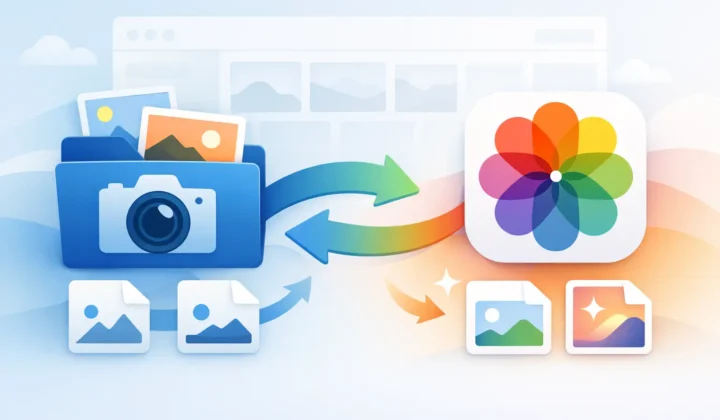
For Photos users, the cleanest workflow is conversion inside the library where the photo already lives. That avoids loose-file cleanup and keeps your archive organized around the moments you captured rather than around export folders.
Before removing any RAW original, verify the result. Open the HEIC at full size, check important fine detail and highlights, confirm the date and location, and make sure it appears where you expect in Photos. For images with a special edit, verify that the final rendition matches your intent. This is especially important for HDR photos and ProRAW images, where tonal range can be part of the reason you shot RAW in the first place.
RawToHEIC is built around this Photos-native approach: convert supported camera RAW and iPhone ProRAW images on-device, retain the organizational context in your library, and use verified deletion safeguards before reclaiming space. Processing stays on your Apple device, with no upload workflow and no analytics-driven detour through a third-party service.
When You Should Keep the RAW Anyway
Storage pressure can make every large file look expendable. Resist that impulse for photographs that are genuinely hard to recreate. A RAW may be worth keeping even after you have a finished HEIC if the image has personal, legal, professional, or artistic importance.
Keep it if you expect a future re-edit, if the scene contains extreme contrast that you may process differently later, or if you might need a large print. Keep it if the photo is a milestone and you would regret losing any possibility of extracting more from the capture. Storage is cheaper than regret when the file represents a once-in-a-lifetime moment.
For routine shots, though, holding every RAW forever can turn a useful library into a costly archive you avoid maintaining. Finished HEIC files give those images a lighter, more usable home.
Your archive should reflect how you actually use your photos. Keep the RAWs that protect future creative choices. Let HEIC carry the finished memories you want close at hand, easy to find, and small enough to keep with you.
Shrink your RAW library, right inside Photos.
RawToHEIC converts camera RAW and iPhone ProRAW to HEIC up to 10× smaller — keeping every edit, album, favorite, and location. On-device, no account, one purchase for iPhone, iPad, and Mac.

Not sure yet? Convert a few sample photos free — no install, nothing uploaded.
Try it free — no install →