JPEG · JPEG image
Convert JPEG to HEIC
JPEG is the most common photo format in the world, and it is already compressed — but a big library of JPEGs still adds up, and HEIC stores the same picture in about half the space. RawToHEIC re-encodes your JPEGs to HEIC right inside Apple Photos, keeping the image, the date, the location, and the album exactly as they are.

What is a JPEG file?
A JPEG (.jpg) is a compressed photo format written by virtually every phone, camera, scanner, and website. It is far smaller than RAW, which is why it became universal — but it uses decades-old compression. HEIC, the format Apple has used by default since iOS 11, stores an equivalent photo in roughly half the size using modern compression. Converting a large JPEG library to HEIC can reclaim a meaningful amount of space with no visible change to the pictures.
Convert JPEG right inside Photos
No exporting to Files, no importing back, nothing uploaded. Select your JPEG photos in Apple Photos, tap Share, and let RawToHEIC convert them on iPhone, iPad, or Mac.
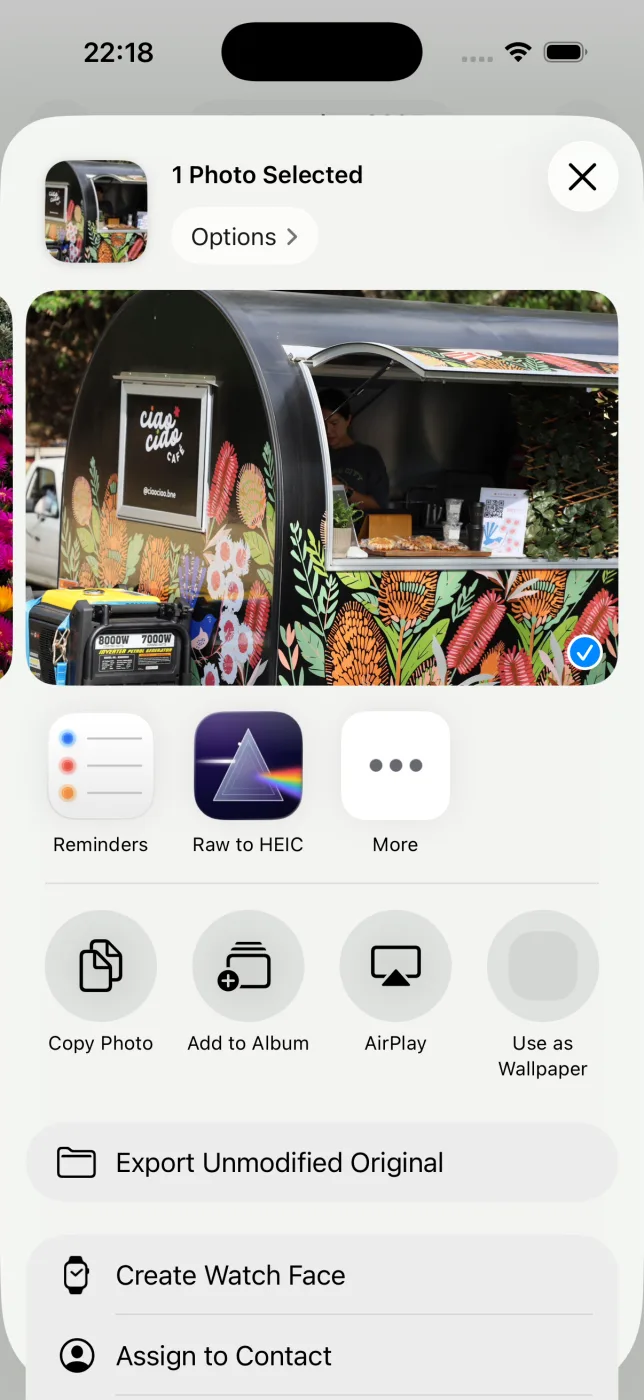
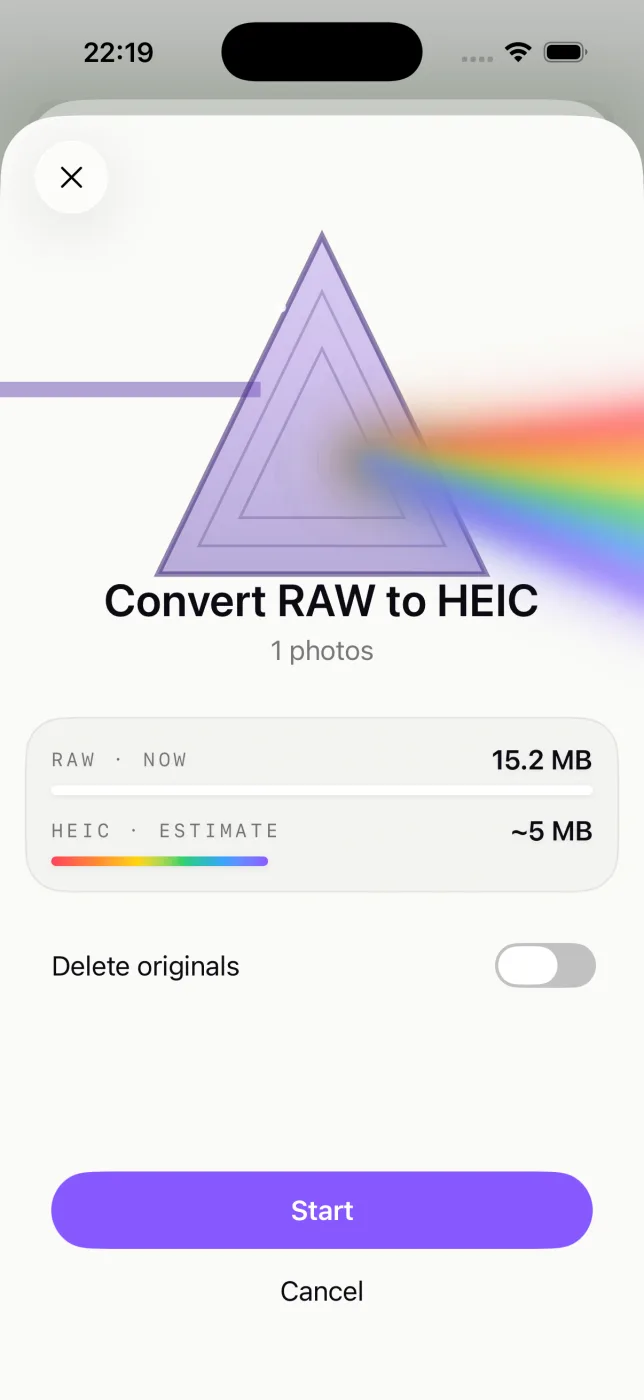
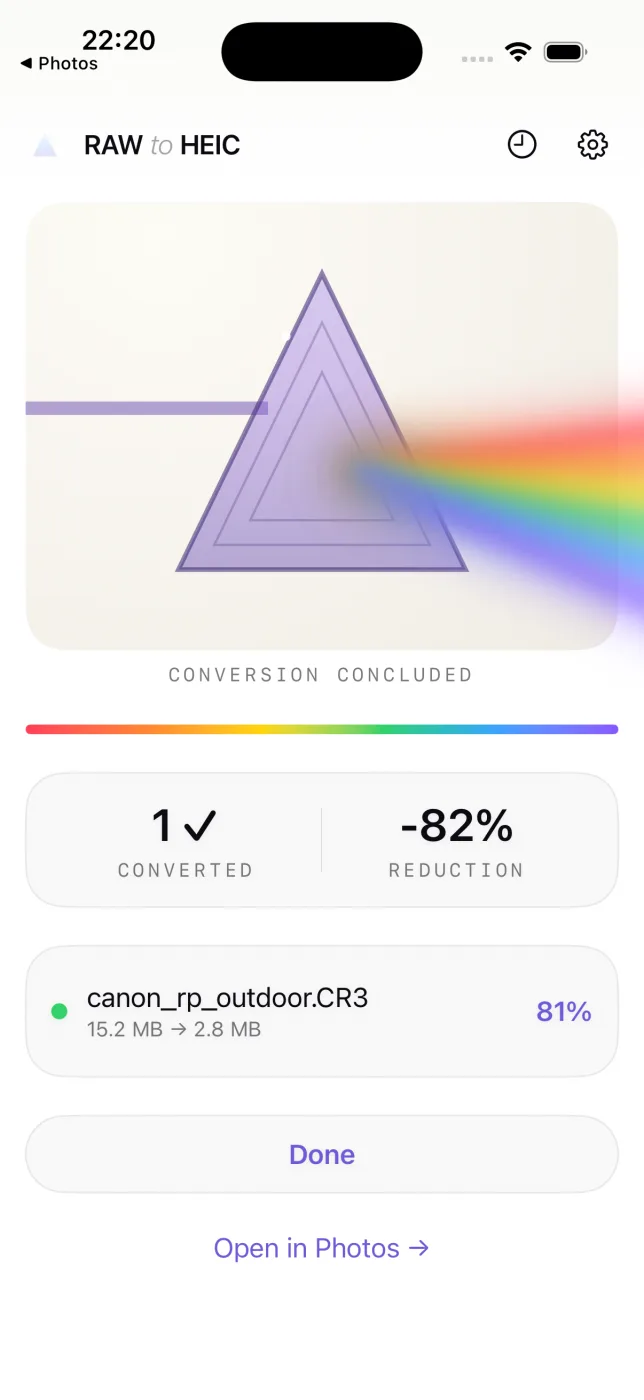
Everything about the photo is kept
- Edits, crops, and adjustments carry over exactly as they look in Photos.
- Album membership, favorites, captions, and keywords stay put.
- Location and full camera metadata (EXIF) travel with the HEIC.
- HDR is preserved with an ISO 21496-1 gain map.
- Your originals are never deleted until the HEIC is saved and verified.
Where JPEG files come from
JPEG comes from nearly everything. RawToHEIC re-encodes your JPEGs to the more efficient HEIC format, keeping the image and its metadata:
JPEG questions, answered
Is it worth converting JPEG to HEIC?
If you have a large JPEG library, yes — HEIC stores the same photo in roughly half the space, so the savings add up across thousands of images, with no visible difference.
Does converting JPEG to HEIC lose quality?
Both are lossy formats. RawToHEIC encodes HEIC at high quality, so the result is visually indistinguishable for normal viewing while being much smaller.
Does it keep the photo’s date and location?
Yes. The capture date, GPS location, camera EXIF, album membership, and favorite are all carried over to the HEIC.
Will my devices still open the HEIC files?
Yes. HEIC is the default on iPhone and iPad since iOS 11 and is supported across Apple devices and recent Windows and Android.
Will it delete my original JPEG files?
Only if you choose to, per batch, and never until the HEIC is saved and verified. Deleted originals stay in Recently Deleted for 30 days.
Get your storage back.
Convert your JPEG files to HEIC on-device, keep every edit and album, and reclaim the space — one purchase for iPhone, iPad, and Mac.
Not sure yet? Convert a few sample photos free — no install, nothing uploaded.
Try it free — no install →